How to Send Your Matrimony Profile to Relatives on WhatsApp
A practical guide for sending your marriage profile to relatives, parents, aunts, uncles, and family friends through WhatsApp without the confusion of multiple files.
TL;DR — Key Takeaways
- ✓Send your matrimony profile to close relatives first before wider family groups.
- ✓Prepare recent photos, education, job, family, horoscope, and contact details before sharing.
- ✓Use a short WhatsApp introduction message so relatives know what to do next.
- ✓Follow up after a week instead of repeatedly asking on the same day.
- ✓Avoid sending cropped screenshots, outdated biodata, or separate files to different relatives.
- ✓A private profile link keeps photos, biodata, and horoscope together and updates automatically.
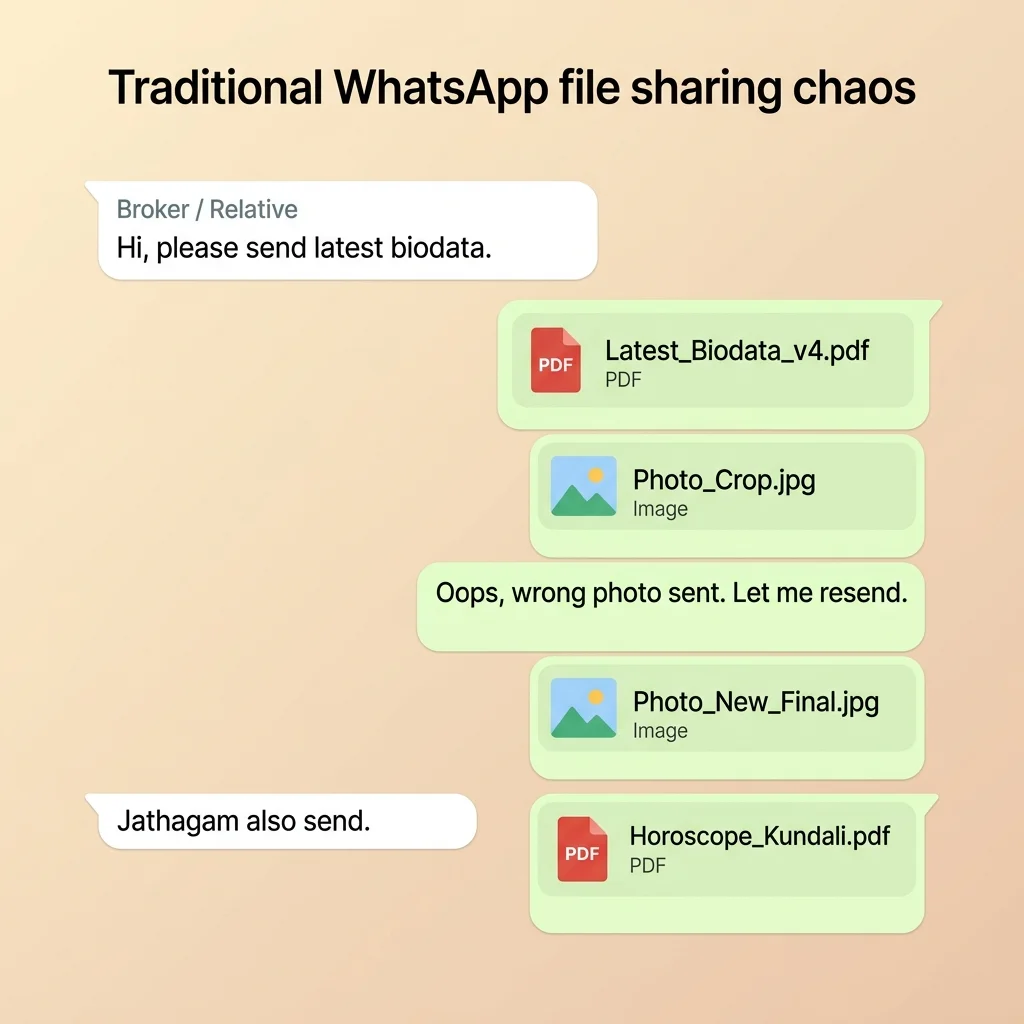
Once your matrimony profile is ready, relatives, parents, and family contacts will start asking for it. Most families send a combination of photos, PDF biodata, and horoscope separately — which quickly becomes confusing to manage.
Before Sending a Matrimony Profile to Relatives
Before you forward anything, make sure the profile has the details relatives usually need to introduce the proposal properly. A half-complete profile creates more follow-up questions and slows down sharing.
- Recent profile photo
- Education details
- Job, business, or career details
- Family information
- Horoscope or jadhagam if required
- Native place and current city
- Contact person details
- Basic expectations, if your family wants to mention them
Who Should Receive the Profile First?
Most families do not share a marriage profile with everyone at once. They start with trusted relatives who understand the family background and can forward the profile responsibly.
- Parents and the candidate review the final profile
- Siblings receive it next so they can answer basic questions
- Close uncles, aunts, and cousins get the profile
- Family friends and community contacts receive it after that
- Marriage brokers are included if the family is using brokers
- Larger WhatsApp or community groups are used only when the family is comfortable
What Relatives Usually Ask For
Traditional Biodata
- ✕
Basic details
Photo, age, height, education, job, and current city.
- ✕
Family background
Parents, siblings, native place, and family context.
- ✕
Career and income
Company, business, salary range, or work location may be asked.
- ✕
Horoscope and expectations
Jadhagam, rasi, nakshatra, dosham, and partner expectations.
PaperProfile Link
- ✓
Basic details
Keep these visible near the top of the profile.
- ✓
Family background
Add enough detail so relatives can introduce the family clearly.
- ✓
Career and income
Share exact income only if your family is comfortable.
- ✓
Horoscope and expectations
Include horoscope if your community usually checks it early.
How to Send Matrimony Profile to Relatives on WhatsApp
- Open WhatsApp and select the relative or family group
- Share the profile link, PDF, or biodata file
- Add a short introduction message with the candidate relationship
- Mention whether horoscope, photos, and family details are included
- Add basic expectations only if your family wants relatives to filter matches
- Ask them to forward the profile to suitable families
WhatsApp Message Template for Relatives
For Son or Groom Profile
Hi Uncle, we are looking for a suitable alliance for my son. Please find his profile below. Kindly share with suitable families if you know anyone. Thank you.”
For Daughter or Bride Profile
Hi Aunty, we are looking for a suitable alliance for my daughter. Her profile link is below with photos, education, family details, and horoscope. Please share with suitable families in your circle. Thank you.”
A short message works better than forwarding a file without context. Relatives should immediately understand who the profile is for, whether they can forward it, and what information is included.
Real WhatsApp Conversation Example
Parent: Hi Anna, please share my son's profile with suitable families. Relative: Sure. Can you send horoscope also? Parent: It is included in the profile link. I am sharing it here. Relative: Any recent photo? Parent: Yes, recent photos are inside the same profile. Relative: Good. I will forward to two families I know.”
This kind of conversation is common because relatives want to help, but they need a complete profile before forwarding it. If the first message already includes photos, family details, and horoscope, the conversation becomes shorter and clearer.
Common Ways Families Send Profiles to Relatives
- Forward the matrimony site profile link
- Send screenshots from the profile
- Create a PDF biodata and share separately
- Share a dedicated private profile link (all-in-one)
How Profiles Spread Through Relatives
Parent
The parent sends the profile to a trusted relative first.
Uncle or aunt
A close relative forwards it to known families or community contacts.
Family friend
The profile reaches someone outside the immediate family circle.
Community group
If appropriate, the profile is shared inside a larger WhatsApp or community group.
Interested family
A family that is interested asks for the latest profile, horoscope, or contact details.
What Happens After You Send the Profile?
- Some relatives forward it immediately to families they already know
- Some save it and forget until a suitable family comes up
- Some ask for horoscope, photos, or salary before forwarding
- Some share it inside community WhatsApp groups
- Some send it to marriage brokers in their area
- Some return after weeks asking for the latest profile again
Key Insight
Do not assume every relative will act the same day. Marriage profile sharing often moves slowly through family memory, conversations, and local networks.
When Should You Follow Up?
After 1 week
Send a gentle reminder and ask if they know any suitable families.
After 2 weeks
Ask whether anyone showed interest or requested more details.
After 1 month
Share the updated profile again if photos, job, location, or expectations changed.
Mistakes Families Make When Sharing Profiles
Traditional Biodata
- ✕
Cropped screenshots
Important details like family, horoscope, or contact person may be missing.
- ✕
Missing horoscope
Relatives must ask again before forwarding in horoscope-first communities.
- ✕
Outdated biodata
Old job, salary, location, or photo details keep circulating.
- ✕
No forwarding instruction
Relatives do not know whether they can share it further.
PaperProfile Link
- ✓
Cropped screenshots
Send the full profile instead of partial screenshots.
- ✓
Missing horoscope
Attach jadhagam or add horoscope details before sharing.
- ✓
Outdated biodata
Update the profile before sending it to a new relative.
- ✓
No forwarding instruction
Mention: “Please share with suitable families if you know anyone.”
The Problem With Multiple Files
When biodata, photos, and horoscope are sent as separate files, relatives quickly lose track of which version is latest. Old files continue circulating even after the profile is updated.
PDF vs WhatsApp Profile Link for Relatives
| Task | PDF Biodata | Profile Link |
|---|---|---|
| Forwarding | Good | Excellent |
| Updates | Poor | Excellent |
| Photos | Separate files | Included |
| Horoscope | Separate file | Included if added |
| Mobile viewing | Medium | Excellent |
| No-login viewing | Yes for PDF | Yes for PaperProfile link |
A Single Link That Relatives Can Open Instantly
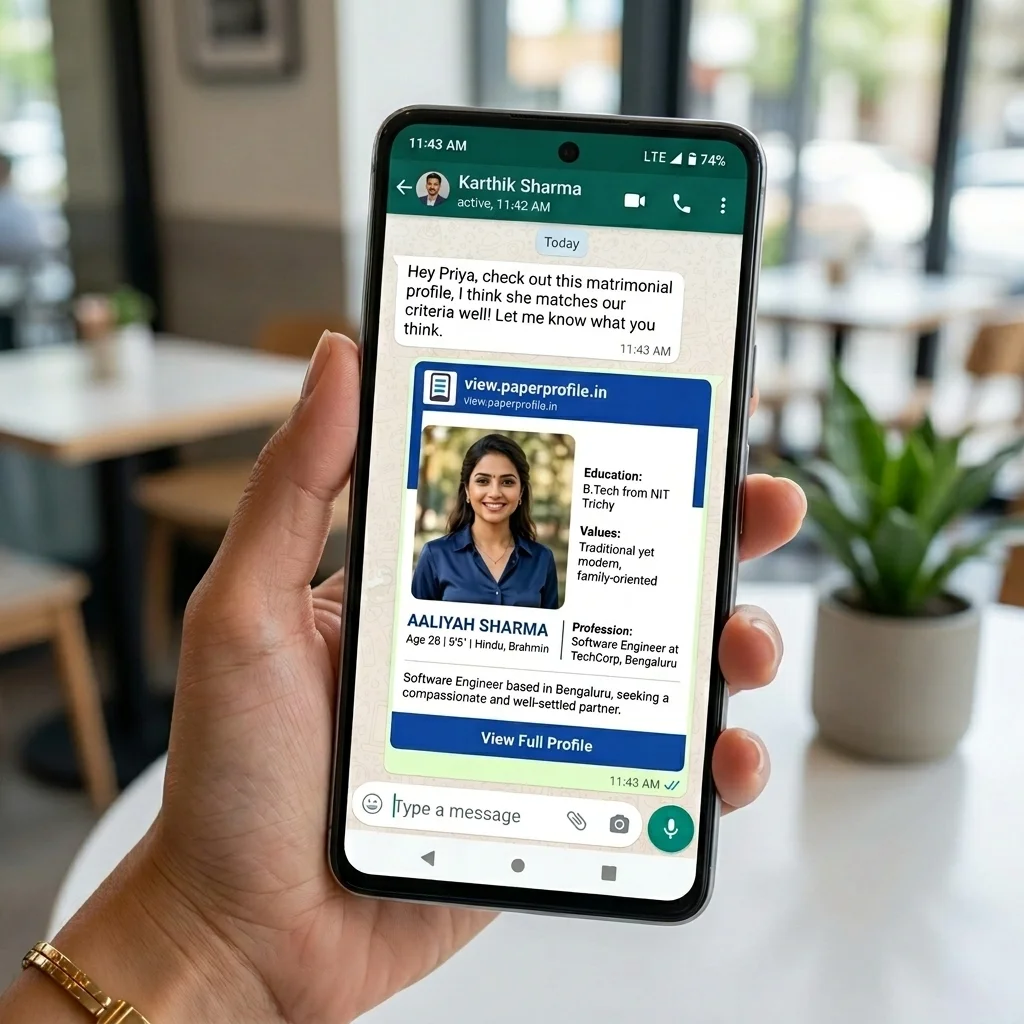
Instead of sending multiple files, create one private marriage profile link. Relatives can open it on any phone — no app required, no login needed. When you update any detail, the link always shows the latest version.
- Photos, biodata, and horoscope in one link
- Opens on any phone — no login required
- Update once, no need to resend
- Private — only people with the link can view
- Can be deleted or deactivated anytime
Still sharing your biodata the old way?
Create a secure PaperProfile link. Keep your contact details private and update anytime.
Written By
PaperProfile Team
We help Indian families share marriage profiles clearly and privately.
PaperProfile helps Indian families create secure, private marriage profiles and share them as single links on WhatsApp. We eliminate version confusion, attachments size issues, and forwarded PDF files.
Frequently Asked Questions
What is the best way to send a matrimony profile to relatives?+
A private profile link is the easiest — relatives can open it without logging into any matrimony site.
Should I send PDF biodata or a profile link to relatives?+
A profile link is better because it always shows the latest version. PDFs become outdated the moment anything changes.
Do relatives need a Bharat Matrimony account to view the profile?+
Yes. The Bharat Matrimony platform profile link requires login. A dedicated private profile link does not require any login.
How do I manage multiple relatives asking for profile updates?+
Use a single profile link. When you update details, everyone with the link sees the latest version automatically.
📖 Suggested Reading
How to Share Your Bharat Matrimony Profile with Family and Relatives
Learn how to share your Bharat Matrimony profile on WhatsApp, with relatives, parents, brokers, and family groups. Compare profile links, screenshots, and PDFs — and why a single marriage profile link works better.
How to Share Your Marriage Profile with Brokers and Agents
Learn how to share your marriage profile with marriage brokers, agents, and matchmakers in a way that is easy to forward and always up to date.
Why PDFs Are Bad for Marriage Biodata
Sending biodata as a PDF file causes privacy leaks, outdated information, and zero control. Here's why families are switching to digital profiles.
The Best Way to Share Marriage Biodata on WhatsApp
Most families send biodata as separate files on WhatsApp — a biodata file, loose photos, and a photo of their printed paper horoscope chart. A biodata link replaces all of that with one private, always-up-to-date URL families open instantly on their phones.
Create your marriage profile in 5 minutes
Stop forwarding your biodata, photos, and horoscope separately. Share one secure link instead.
No credit card required. Free to start.