The Best Way to Share Marriage Biodata on WhatsApp
Most families send biodata as separate files on WhatsApp — a biodata file, loose photos, and a photo of their printed paper horoscope chart. A biodata link replaces all of that with one private, always-up-to-date URL families open instantly on their phones.
What a biodata link gives you:
- ✓One private marriage profile link replaces multiple separate files
- ✓High-resolution photos load directly — no compression
- ✓Phone number is completely hidden on your profile by default
- ✓Edit once and all previously shared links update automatically
❌ Most families still send:
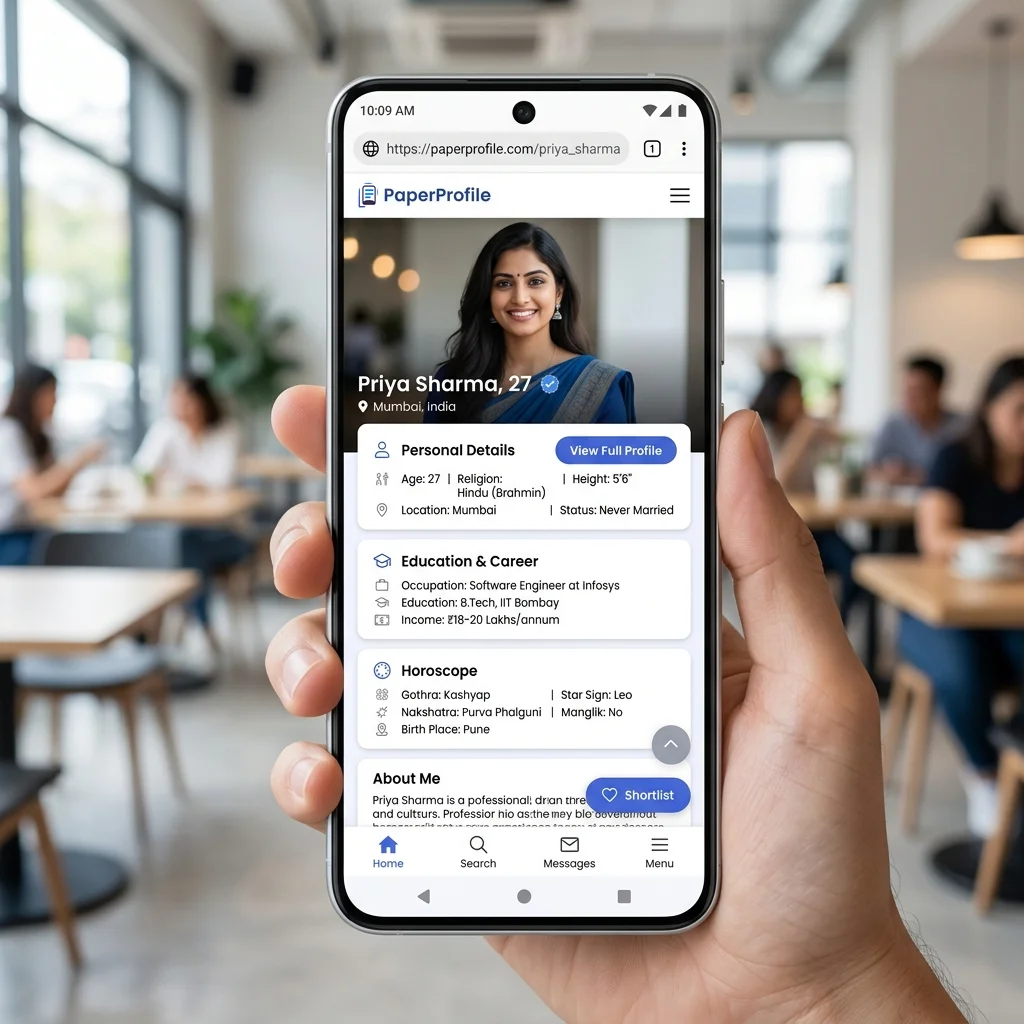
✨ There is a simpler way:
Open instantly on any phone with full resolution photos, horoscope, and details in one place.
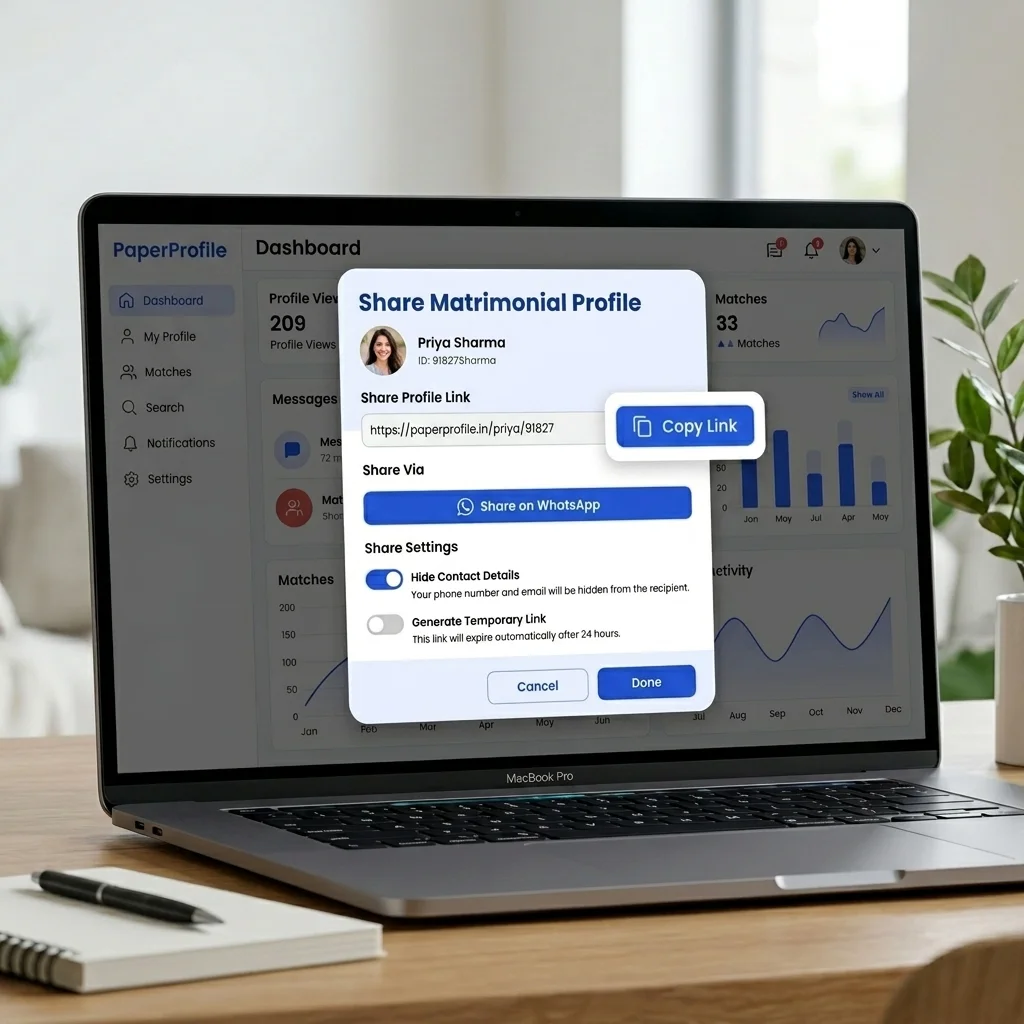
Share your biodata as a clean, pre-formatted text message containing your key details and a private profile link.
TL;DR — Key Takeaways
- ✓A biodata link is a private, shareable URL that opens your complete marriage profile on any phone.
- ✓Families receive one link instead of separate biodata, photo, and printed horoscope photos.
- ✓Photos load at full resolution — not compressed like WhatsApp media attachments.
- ✓Update your details once; everyone who has the link sees the latest version instantly.
- ✓Delete the profile anytime to stop all access and take back control of who can view your details.
Why WhatsApp is the default channel for biodata sharing
In arranged marriage introductions, WhatsApp has become the definitive space where connections begin. A relative, a family friend, or a professional matrimonial consultant forwards a message: "I have a profile for you." What follows is a flurry of attachments — a static marriage biodata, a photo of the printed paper horoscope (jadhagam/patrika) taken on a phone, and loose photo files. Parents often go to a local horoscope shop to create a paper copy of the chart, snap a photo of it, and forward that image separately. This default workflow is widely accepted, but it creates a massive amount of clutter and communication fatigue.
Once these files are sent, control is completely lost. Documents get forwarded to distant circles, photo resolutions degrade due to compression, and outdated files remain in circulation long after a candidate's status has changed. For advice on preparing your initial details, see our comprehensive guides on Bride Biodata Format and Groom Biodata Format.
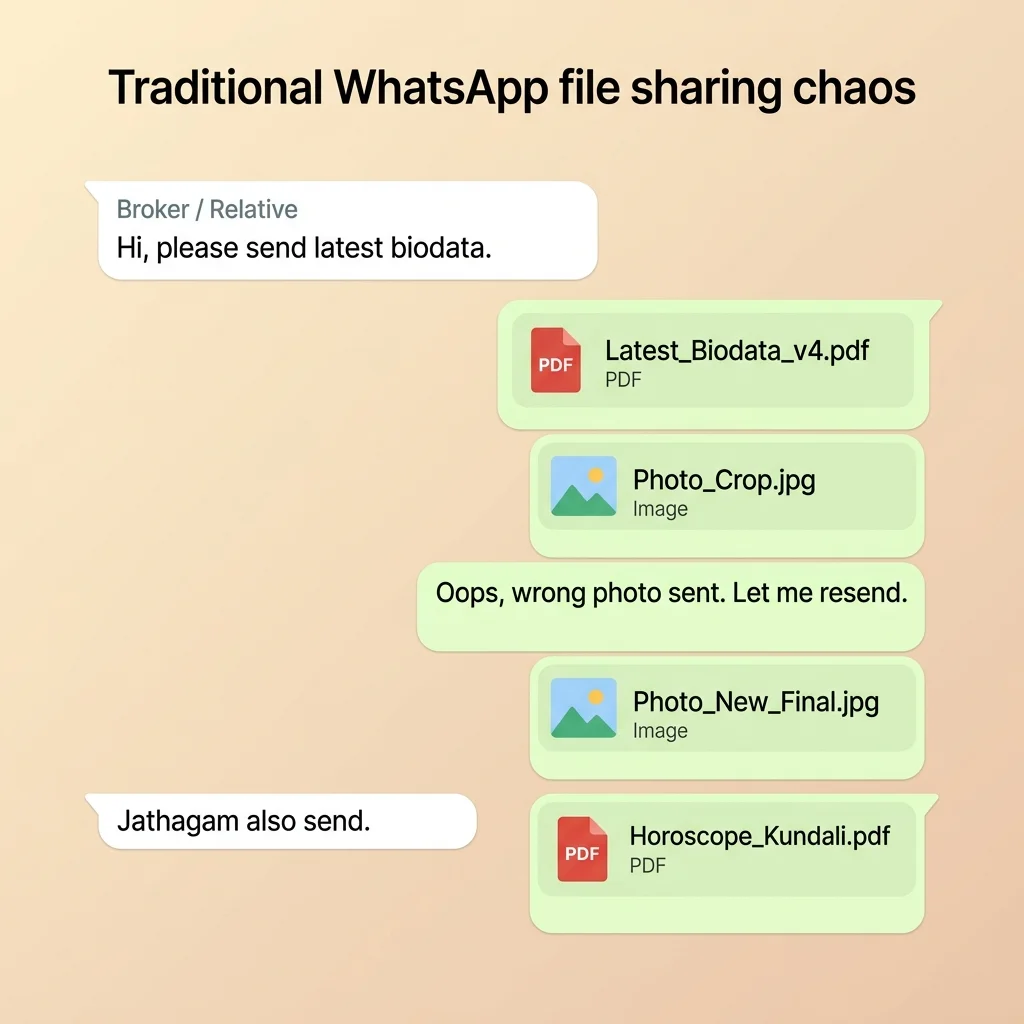
What Actually Happens in a Matrimonial Household
"Did you send the biodata to Aunt Meera?"
"Yes, I forwarded the biodata we prepared last month."
"Please send the horoscope (jathagam) also separately, and a couple of clear photos. The photo in the file is too compressed and blurry."
"Need his latest job details. The family liked the profile but the biodata lists his old location."
"Wait, which file did we send? Was it Biodata_v2_final or Biodata_v3_updated?"
Matrimonial Expert Observation
Most families review a marriage biodata in under 60 seconds. Matrimonial consultants recommend placing the photo, age, education, and location at the absolute top — long before long descriptive paragraphs. If these parameters aren't scannable on a mobile screen, the proposal is often passed over.
The problem is not WhatsApp itself. The problem is sharing marriage profiles as static, uncontrolled file attachments — designed for printing, not for private, revocable, mobile-responsive sharing over chat. For a deeper analysis of these limitations, read our study on Why PDFs Are Bad for Marriage Biodata.
What goes wrong when you share a marriage profile as a file
Here is exactly what goes wrong with the traditional file attachment approach:
Most families resend the same biodata dozens of times during a marriage search.”
Photos get compressed and blurry
WhatsApp compresses media files automatically. When you send image files, quality degrades significantly. The family on the other side sees a pixelated or washed-out photo, which ruins the critical first impression.
You lose control of your details instantly
Once a file is sent, it is stored locally on the recipient's phone. They can forward it to anyone without your knowledge or consent. It can easily end up in group chats or stored in database archives of mediators, with no way for you to delete it.
Any update requires manual resending
If you change your job, move cities, or want to swap a photo, you have to resend a new version of the file to everyone. The outdated biodata continues to circulate, causing confusion and mismatched expectations.
Real Family Scenario: The Chennai MBA Graduate
"A bride's family from Chennai sent their daughter's marriage biodata to 40 relatives and brokers on WhatsApp. After she completed her MBA and accepted a new role in Bengaluru, they had to manually resend the updated biodata to all 40 contacts. Months later, they discovered that some brokers were still forwarding the old version with her outdated qualification and salary, causing mismatched expectations with good proposals."
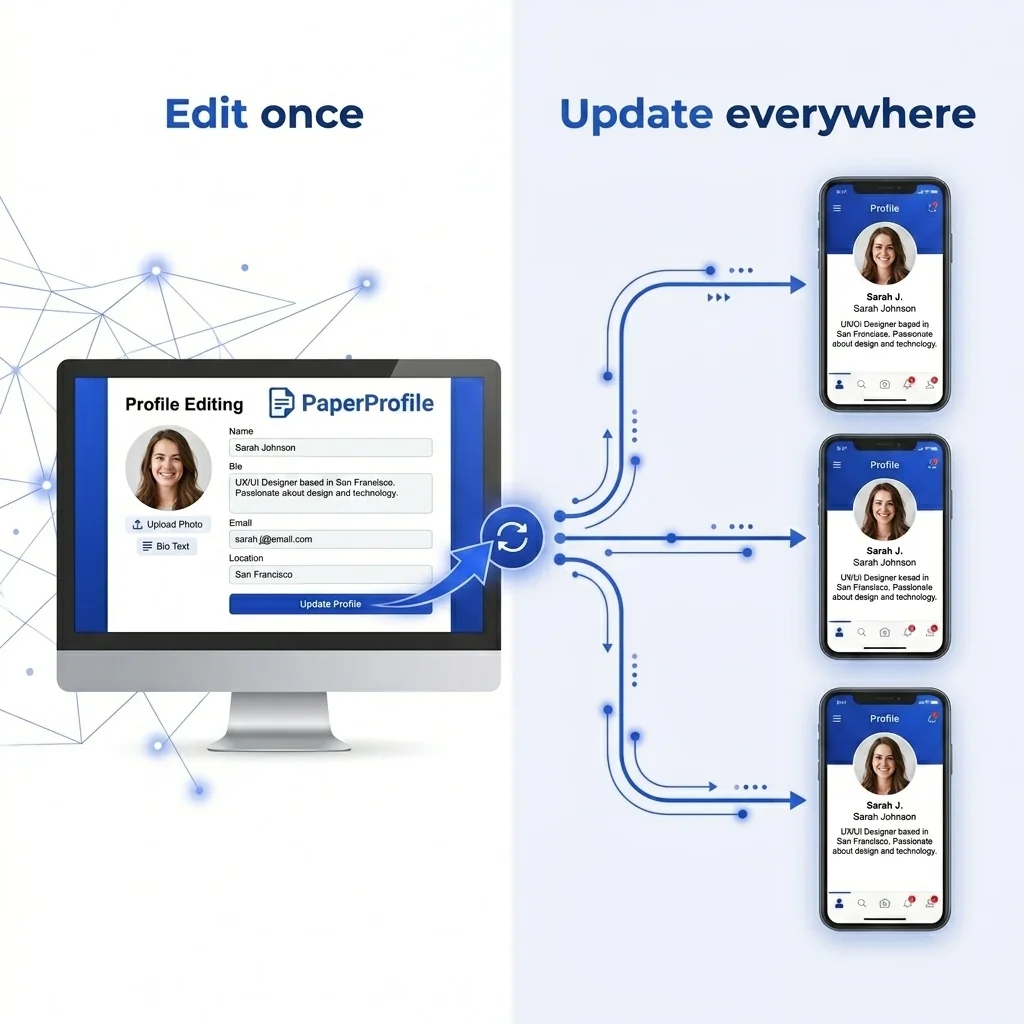
Common Mistake
Sharing biodata as a static file means every small correction requires manually resending to all contacts.
Horoscopes get separated and lost
Sending marriage biodata and horoscope as two separate attachments per conversation means they get separated in long chat histories. For Tamil matrimony families, where jathagam details — Rasi, Nakshatra, Dosham — are needed before any family meeting is arranged, this creates real delays. Families have to repeatedly ask for the jathagam separately, slowing down the matching process significantly.
Why families are moving from static biodata files to a profile link
Most Indian families still create a marriage biodata — using a Word template or printed format — and share it on WhatsApp. It is the familiar workflow: design a template, export it, send it as a file attachment. For decades, this was the only option.
The problem is not the biodata itself — the content is fine. The problem is the format. A traditional biodata file is frozen at the moment it was created. Once sent, it cannot be updated. Photos compress when forwarded. Contact details get exposed. And every new conversation requires sending the same files again.
Common Mistake
⚠️ A biodata file shared with 30 families is effectively 30 separate copies of your personal information — none of which you can update, recall, or control once forwarded.
A marriage profile link replaces the file entirely. The information is identical — name, education, family, horoscope — but instead of a static document, it lives at a private URL that only you control. Families open it in their browser. You update it in one place. Everyone sees the latest version. No resending files.
What is a biodata link — and how does it work?
A biodata link is a private URL that opens your complete marriage profile directly in any mobile browser. Instead of sending files, you share one marriage profile link. It shows your photos, structured family notes, education, career, and horoscope together — on one clean, responsive page. For a full explanation of what a biodata link is and how it works, see our dedicated guide: What is a Biodata Link?.
Think of it as a marriage biodata link — a permanent, always-updated marriage profile link. Instead of version-controlled files scattered across chats, you have one matrimony profile link that works everywhere: WhatsApp, SMS, email, or any matrimonial platform. Families and brokers open it once and return whenever they need to review, always seeing the latest version.
Key Insight
📱 Sharing digital biodata on WhatsApp is now how modern families handle introductions. A single tap on the link opens a fully structured, mobile-optimised profile — no zooming into a scanned document, no downloading a compressed image.
When families tap your biodata link, the marriage profile loads instantly. High-resolution photos are fetched directly from secure servers, bypassing WhatsApp's media compression to maintain complete visual quality.
Key Insight
💡 Key Insight: Modern families prefer receiving a biodata link because it doesn't clog their device storage and presents details in a neat, scrollable profile page.
Traditional Biodata
- ✕
How you share
Export file → attach to chat
- ✕
Photo quality
✗ Compressed and blurry
- ✕
Updates & edits
✗ Re-export and resend new file
- ✕
Access control
✗ Forwarded without control
- ✕
Multiple files
✗ Separate horoscope & photos
PaperProfile Link
- ✓
How you share
Copy biodata link → paste anywhere
- ✓
Photo quality
✓ Full resolution in browser
- ✓
Updates & edits
✓ Edit once, link updates live
- ✓
Access control
✓ Delete profile at any time
- ✓
Multiple files
✓ Everything inside one biodata link
If you update your marriage profile, the biodata link automatically shows the latest version. If you want to stop sharing, you can delete your profile, making it instantly inaccessible to everyone who had the link.
Real Family Scenario: The Bengaluru Software Engineer
"An engineer based in Bengaluru changed her job and moved back to her hometown. Instead of tracking down dozens of brokers and relatives to replace her old biodata file, she updated her details once in her profile dashboard. Instantly, anyone opening her biodata link saw her updated occupation and location — no outdated profile circulating anywhere."
To see how completed online profiles are structured, check out our guide on Marriage Biodata Examples or learn more in our guide What is Digital Biodata. For advice on layout, see the Best Biodata Format for Marriage.
Still sharing your biodata the old way?
Create a secure PaperProfile link. Keep your contact details private and update anytime.
How to create a biodata link and share it on WhatsApp
Using PaperProfile's free biodata maker, here is the exact process to get your biodata link:
Create your marriage profile
Sign up and fill details — photos, horoscope, family info, and education.
Get your marriage profile link
PaperProfile automatically generates a private, secure marriage profile link for your profile.
Share on WhatsApp
Copy and paste the pre-formatted text message containing your details and marriage profile link into any chat.
Update anytime
Edit details in your dashboard, and everyone sees updates instantly without resending.
Example WhatsApp message preview
Name: Meenakshi Sundaram
DOB: March 1999
Horoscope: Libra, Chitra
Dosham: Rahu Ketu Dosham, Kala Sarpa Dosham
Community: Hindu - Brahmin · Iyer
View Profile:
https://view.paperprofile.in/bride/27718256/meenakshi-sundaram
Profile ID: PP27718256
Still sharing your biodata the old way?
Create a secure PaperProfile link. Keep your contact details private and update anytime.
Is a biodata link private and safe?
A common concern: is a biodata link safe? Can anyone find my details by searching online?
Yes, a biodata link is far safer than a shared file. PaperProfile biodata links are completely private, unindexed URLs. They do not appear in Google search results and cannot be discovered by web crawlers. Only people who receive the exact URL from you can view your marriage profile.
Furthermore, your phone number is completely hidden on your public profile by default. Only families you choose to share details with will know your contact number, keeping your sensitive contact details away from unwanted callers and random strangers.
Temporary sharing links
PaperProfile provides free temporary sharing links that automatically expire after 7 days. Once expired, the link reduces visible details to protect your privacy, and you can delete your profile at any time to instantly stop all access.
Summary
Sharing a marriage biodata on WhatsApp as separate file attachments is the current default — but it has real problems: photo compression, no update mechanism, and no control over forwarding.
A marriage biodata link solves all of these. It acts as your private profile link — shareable and always current. Sharing digital biodata on WhatsApp becomes a one-tap action: copy the link, paste it into the chat, done. No files. No versions. No resending.
Every family you share it with sees the same clean, up-to-date profile — whether they open it today or three months from now.
Written By
PaperProfile Team
We study how Indian families share marriage profiles, biodata, photos, and horoscope information on WhatsApp.
PaperProfile helps Indian families create secure, private marriage profiles and share them as single links on WhatsApp. We eliminate version confusion, attachments size issues, and forwarded PDF files.
Frequently Asked Questions
What is a biodata link?+
A biodata link is a private URL that opens your complete marriage profile in any mobile browser. It contains your photos, family details, education, and horoscope — all in one place. You share it on WhatsApp instead of sending multiple separate files.
How do I share my marriage biodata on WhatsApp as a link?+
Create your profile on PaperProfile and copy your biodata link from the dashboard. Paste it directly into any WhatsApp chat. Families open it on their phone — photos, family details, and horoscope — without downloading anything.
Can I include my horoscope with the biodata link?+
Yes. PaperProfile has a dedicated horoscope section — Rasi, Nakshatra, Dosham, and other details. It is part of the same biodata link. No separate horoscope file needed.
Can I update my marriage profile after sharing the biodata link?+
Yes. Edit your profile at any time — new photo, updated job, any change. Everyone with your existing biodata link sees the updated version automatically. No need to resend anything.
Is my biodata link private?+
Yes. Your biodata link is not listed publicly and does not appear in search engines. Only people you share it with can view it. You can delete your profile at any time to instantly stop all access.
Can I share my jathagam on WhatsApp using a biodata link?+
Yes. PaperProfile includes a dedicated jathagam section containing Rasi, Nakshatra, Dosham, and other horoscope details. Tamil families can share both the marriage biodata and jathagam from the same private link — no separate horoscope file needed.
📖 Suggested Reading
How to Create a Marriage Profile That Actually Works
A complete guide to building a marriage profile that gets responses — what to include, what to avoid, and how to present it.
What Is Digital Biodata for Marriage? (And How It Differs from a PDF)
A digital biodata is an online profile you share as a private link — not a PDF, not a Word file. It stays updated, loads photos clearly, and lets you control who sees your details.
Best Biodata Format for Marriage — Section Order, Content, and What Families Actually Read
The right section order is only half the problem. Most biodata fail because the content is too generic. This guide covers exactly what to write in each section — with real examples.
The Best Way to Send Marriage Biodata Without a PDF
Sharing a marriage biodata as a PDF is the default — but it has real problems. Here is the better approach: a private online profile that shares as a link, not a file.
Why PDFs Are Bad for Marriage Biodata
Sending biodata as a PDF file causes privacy leaks, outdated information, and zero control. Here's why families are switching to digital profiles.
Create your marriage profile in 5 minutes
Stop forwarding your biodata, photos, and horoscope separately. Share one secure link instead.
No credit card required. Free to start.