Why PDFs Are Bad for Marriage Biodata
Sending biodata as a PDF file causes privacy leaks, outdated information, and zero control. Here's why families are switching to digital profiles.
Why PDFs Fail for Marriage Biodata:
- ✓Zero access control (unauthorized forwarding)
- ✓Outdated versions circulate indefinitely
- ✓Blurry, compressed WhatsApp photos
- ✓Detached, lost horoscope documents
❌ Most families still send:
✨ There is a simpler way:
Open instantly on any phone with full resolution photos, horoscope, and details in one place.
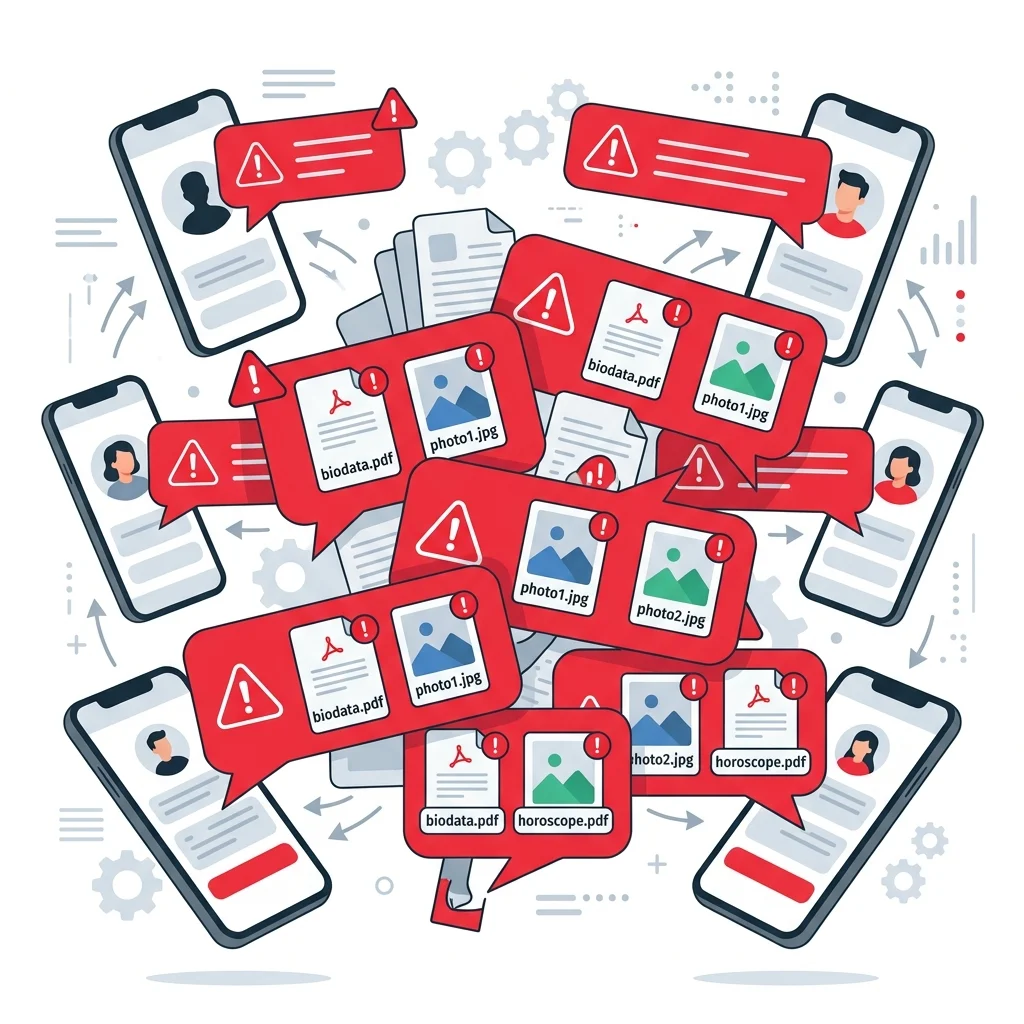
PDF files can easily get forwarded without your consent, exposing your personal details.
TL;DR — Key Takeaways
- ✓Once sent, a PDF is stored locally on the recipient's device and can be forwarded indefinitely.
- ✓Updating a PDF requires re-exporting and manually resending it to every single contact.
- ✓WhatsApp compresses PDF embedded photos, rendering candidate photos blurry and pixelated.
- ✓Separate horoscope files easily get lost or detached in long WhatsApp chat histories.
- ✓A single private online profile link keeps your photos, horoscope, and details synchronized and revocable.
For nearly three decades, Indian families have exchanged marriage biodatas as Word documents and PDF attachments. It became the default standard. When someone asks for a proposal, you fill in a template, export a PDF, and send it. But what most families accept as "standard" is actually a major source of privacy leaks, outdated information, and presentation chaos. Matrimonial consultants and community leaders increasingly recommend switching to secure digital links instead. If you are preparing details for the first time, read our Bride Biodata Format and Groom Biodata Format layout advice.
Key Takeaway
A PDF is a static file that you surrender ownership of the moment you send it. Sharing a private web profile link instead lets you keep control of your photos, update details instantly, and delete the profile whenever you want.
The Traditional WhatsApp File Clutter
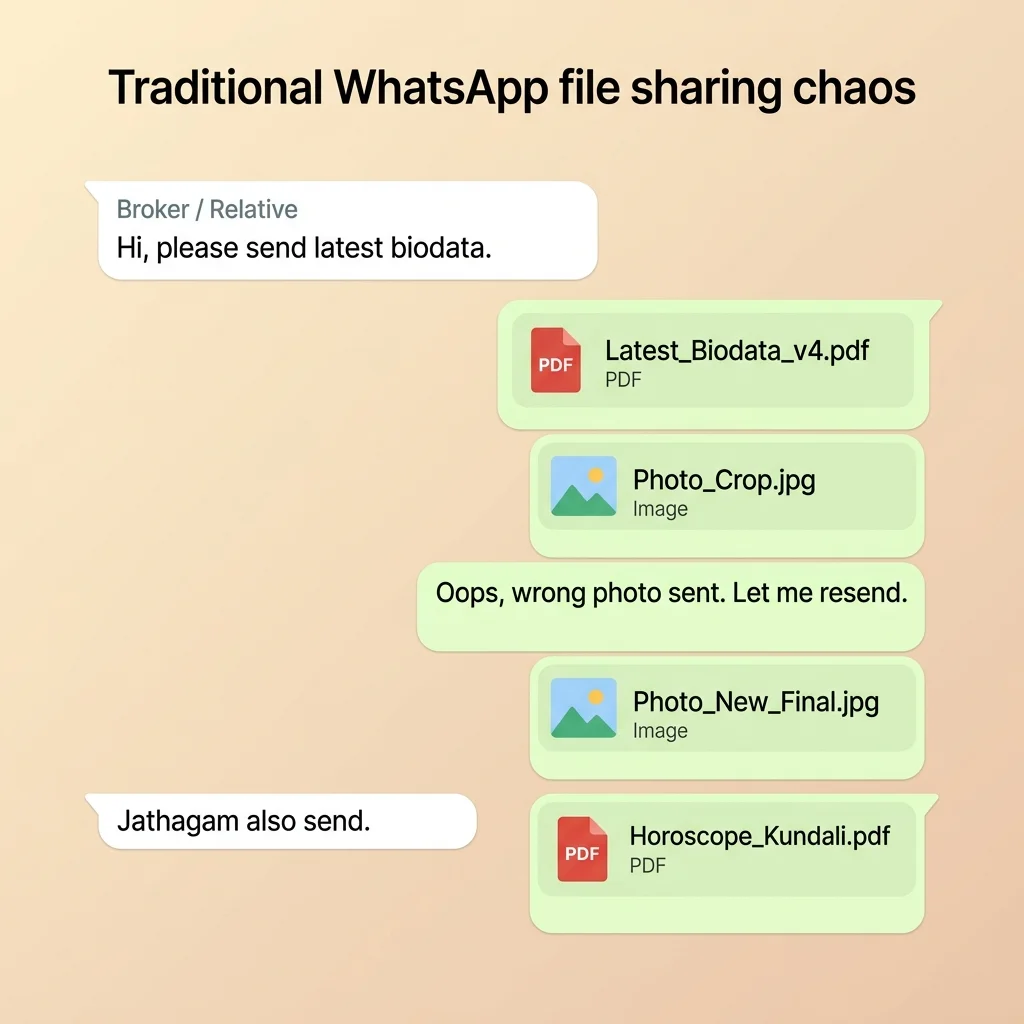
Look at a typical WhatsApp conversation when a parent or broker shares a matrimonial proposal. Multiple files get sent separately — a blurry PDF, raw photo files, and a phone photo of the printed paper horoscope (jadhagam/patrika) taken from a horoscope shop. It clutters the chat history and makes details hard to find. For a step-by-step guide on how to avoid this file sharing mess, see our guide on How to Send Marriage Biodata on WhatsApp.
5 Core Reasons Why PDFs Fail for Matrimonial Sharing
1. Outdated Versions
Once shared, families store your old PDF locally. If you change your job or location, outdated files continue to circulate indefinitely.
2. Photos Compressed
WhatsApp compresses PDF-embedded images, making candidate photos look blurry and pixelated when evaluated by families.
3. No Privacy Control
You cannot stop someone from forwarding your phone number or photo. PDFs lack access controls, expiration dates, or revocation options.
4. Files Get Separated
Horoscope sheets and photo attachments get detached from the main biodata file in long WhatsApp chat histories, causing match delays.
5. Poor Mobile Layout
A4 document layouts force parents to pinch, zoom, and scroll horizontally on mobile screens, creating a frustrating experience.
The Real Matrimonial Sharing Workflow: How PDF Chaos Scales
Matrimonial searches are a numbers game. When you use static files, a simple update triggers a massive chain reaction. Here is what the matrimonial sharing workflow actually looks like for a family managing their search today:
Create Document: You draft details in a document editor, export PDF, visit a local horoscope shop to create a paper copy of the chart, snap a photo of it on a phone, and attach photos.
WhatsApp Send: Send the attachments to parents, brokers, and community mediators.
Job/Salary Update: Candidate gets promoted. You edit the details and save a new version Biodata (v2).
Manual Resend: Try to locate all 15 previous contacts to resend v2. Miss 5 of them.
The Multiplier: Those 15 contacts have already forwarded v1 to 3 other families each. Now 45 strangers hold outdated details with no way for you to reach them.
Typical Biodata Version Timeline
Day 1: Initial Sharing
Biodata (v1)
Shared with first 5 families on WhatsApp.
Day 15: Job Promotion
Biodata (v2)
Created to reflect new job title. Sent to 3 new contacts.
Day 30: Horoscope requested
Jadhagam (Photo)
Broker requests horoscope. You send a separate phone photo of the printed horoscope sheet.
Day 60: The Version Chaos
Outdated details still circulating
While you use "Final", distant families are still reviewing "v1" with your outdated salary and older photos.
Real Family Scenario: The Chennai MBA Graduate
"A bride's family from Chennai sent their daughter's biodata PDF to 40 relatives and brokers on WhatsApp. After she completed her MBA and accepted a new role in Bengaluru, they had to manually resend the updated PDF to all 40 contacts. Months later, they discovered that some brokers were still forwarding 'v1' of the PDF with her outdated qualification and old salary, causing mismatched expectations with good proposals."
Matrimonial Expert Observation
Most families review a marriage biodata in under 60 seconds. Matrimonial consultants recommend placing the photo, age, education, and location at the absolute top of the page, long before long descriptive paragraphs. If these parameters aren't scannable on a mobile screen, the proposal is often passed over.
The Digital Alternative: A Private Web Link
A digital biodata is a live profile page served from a secure, private URL. Instead of multiple file attachments, you send a single link. It looks modern, loads instantly, and opens directly in the mobile browser without requiring any download or document viewer apps.
With PDF
- ❌ No updates possible
- ❌ Files separated and lost
- ❌ Photos heavily compressed
- ❌ No privacy or access control
With Profile Link
- ✅ Always updated in real-time
- ✅ One single place for everything
- ✅ Full resolution portrait photos
- ✅ Controlled sharing and revocation
Real-World Example: Files vs. One Link
When you share proposal details, here is the exact comparison between sending separate file attachments and a single, secure PaperProfile link:
Traditional File Clutter
PaperProfile Link
Click to open instantly in mobile browsers with full details & gallery.
The Hidden Matchmaking Exhaustion: It is not just about files; it is about the human energy wasted. A family actively searching receives 30 to 40 PDF biodatas every single week. After a few days, their downloads folder is a graveyard of files. Nobody remembers which PDF is the latest, which candidate already got married, or which horoscope belongs to which candidate. This file fatigue causes good proposals to get ignored simply because of document clutter.
Who should avoid sending PDFs?
Perfect for: Moving away from document sharing is highly beneficial for everyone in the matchmaking loop:
Bride Families
Protect your daughter’s privacy by hiding phone numbers and disabling links when introductions are complete.
Groom Families
Showcase professional designations, academic credentials, and expectations in a modern layout.
Marriage Brokers
Discard heavy folders of outdated PDF files. Manage active candidate links that stay updated live.
Relatives Helping Search
Simplify recommendations by forwarding a single private marriage profile link instead of heavy files and photos.
Parents Coordinating on WhatsApp
Tapping a link is simpler for older relatives than locating, downloading, and sorting through files in chat windows.
Traditional PDF vs. Digital Marriage Profile Link Comparison
| Feature | Traditional PDF | PaperProfile Profile Link |
|---|---|---|
| Access Control | None (once forwarded, it is public permanently) | Full owner control (delete profile anytime) |
| Photo Quality | Compressed and blurry | Full high-resolution gallery |
| Update Mechanism | Manual re-send new files to everyone | Instant live update from single dashboard |
| Mobile Layout | Poor (requires pinching and zooming) | Fully responsive (opens directly in browser) |
| Google Privacy | Exposed if uploaded to public folders | Completely private (unindexed by Google) |
Still sending PDF files and separate photos? Move away from static documents and secure your personal details with a private web profile.
Still sharing your biodata the old way?
Create a secure PaperProfile link. Keep your contact details private and update anytime.
Common Myths About Sharing Links
As families transition from documents to private sharing links, several common doubts occur:
- Myth: Shared links appear publicly on Google.
Reality: PaperProfile links are completely private, unindexed URLs. They do not appear in Google search results and cannot be crawled by search engines. Only people who receive the exact URL from you can view it. - Myth: Elders will struggle to open links.
Reality: Tapping a link opens the profile instantly in the default browser without requiring any login, registration, or app installation. It is actually much easier for parents than download management. - Myth: Horoscopes cannot be shared via link.
Reality: You can fill standard horoscope details (Rasi, Nakshatra, Gothra) and attach the detailed chart file directly inside the same link.
How to Move Away From Matrimonial PDFs
Sign Up Free
Register with your phone number. Create an account in 30 seconds.
Fill Details
Input details across personal, family, career, education, photos, and horoscope.
Copy Private Profile Link
Your profile goes live immediately at a private, secure marriage profile link.
Share on WhatsApp
Paste the pre-formatted text containing your details and profile link directly into any WhatsApp chat.
To see how other candidates present their details online, read our detailed guide on Marriage Biodata Examples, or check out the Best Biodata Format for general layout advice.
For step-by-step instructions on sharing, read our guide on How to Share Biodata on WhatsApp. To learn more about digital formats, see our article on What is Digital Biodata, or get started with building your own link by following How to Create a Marriage Profile.
Still sharing your biodata the old way?
Create a secure PaperProfile link. Keep your contact details private and update anytime.
Written By
PaperProfile Team
Marriage Profile Sharing Experts
PaperProfile helps Indian families create secure, private marriage profiles and share them as single links on WhatsApp. We eliminate version confusion, attachments size issues, and forwarded PDF files.
Frequently Asked Questions
Why are PDFs bad for sharing personal details?+
Once a PDF is sent, you lose ownership of it. It can be forwarded, saved, and archived on other devices indefinitely, exposing your contact details and photographs.
How does a digital profile solve the update problem?+
A digital profile is served from a central server. When you update your details on PaperProfile, those changes are immediately reflected for anyone who visits your link. No resending needed.
Is sharing a link safer than sharing a PDF?+
Yes, because contact details are hidden by default from the public profile, and you can delete your profile at any time to instantly stop all access.
📖 Suggested Reading
Digital Biodata vs Traditional Biodata — A Complete Comparison
PDF and Word biodata have dominated Indian matchmaking for decades. Digital profiles are changing that. Here's a full comparison.
How to Create a Marriage Profile That Actually Works
A complete guide to building a marriage profile that gets responses — what to include, what to avoid, and how to present it.
What Families Look for in a Marriage Biodata
From the family perspective — what information matters most when evaluating a matrimonial proposal, and what red flags to avoid.
Create your marriage profile in 5 minutes
Stop forwarding your biodata, photos, and horoscope separately. Share one secure link instead.
No credit card required. Free to start.