Digital Biodata vs Traditional Biodata — A Complete Comparison
PDF and Word biodata have dominated Indian matchmaking for decades. Digital profiles are changing that. Here's a full comparison.
Key comparison areas:
- ✓Privacy controls (delete profile anytime)
- ✓Real-time updates (edit once, syncs everywhere)
- ✓High-resolution photo viewing (no compression)
- ✓Mobile accessibility (opens instantly in any browser)
❌ Most families still send:
✨ There is a simpler way:
Open instantly on any phone with full resolution photos, horoscope, and details in one place.
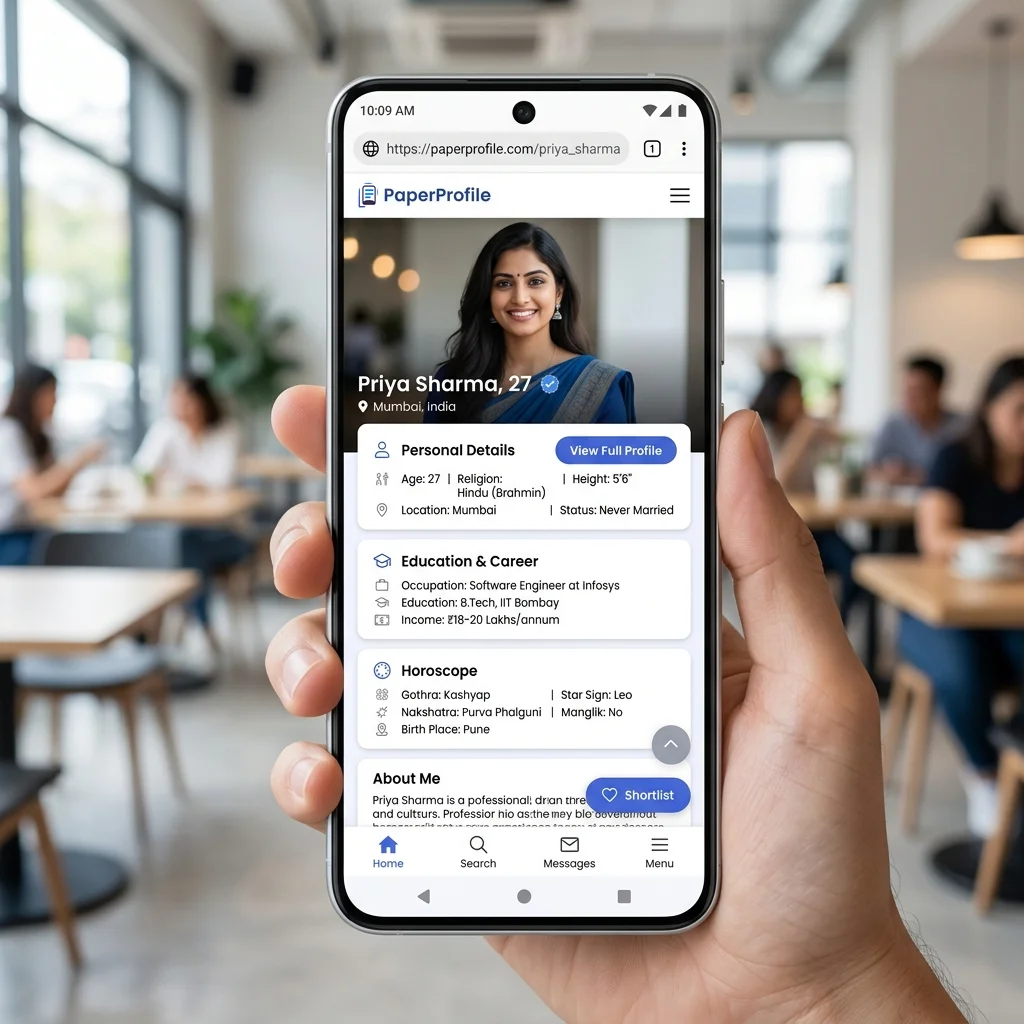
A proper digital biodata renders as a modern, mobile-optimized web page, not an A4 print document.
TL;DR — Key Takeaways
- ✓Traditional PDF files lack access control, letting anyone forward your details.
- ✓Digital profiles open instantly in mobile browsers without requiring document viewer apps.
- ✓A central dashboard lets you update your job, photo, or status in real time.
- ✓You can retain a PDF version for traditional elders while using links for main sharing.
For most of the last three decades, a marriage biodata meant one thing: a Word document printed on A4 paper (or sent as a PDF). That is changing. Families are increasingly using digital profile links — shared over WhatsApp — that work on any phone without downloads, apps, or file management. For a comprehensive overview of digital profiles, read our guide on What is Digital Biodata.
Side-by-side comparison
Traditional Biodata
- ✕
Mobile Accessibility
✗ Requires PDF viewer or Word reader app
- ✕
Photo Resolution
✗ Compressed inside the file, looks blurry
- ✕
Editing Information
✗ Must edit, export, and resend the file to all
- ✕
Horoscope Details
✗ Usually attached as a separate second file
- ✕
Privacy & Revocation
✗ Cannot delete or stop files once forwarded
- ✕
Contact Privacy
✗ Phone number is permanently exposed in the file
- ✕
Design Quality
✗ Varies wildly based on MS Word formatting skill
PaperProfile Link
- ✓
Mobile Accessibility
✓ Opens instantly in any browser
- ✓
Photo Resolution
✓ High-definition browser image loading
- ✓
Editing Information
✓ Edit once in dashboard; updates sync live
- ✓
Horoscope Details
✓ Integrated directly inside the same link
- ✓
Privacy & Revocation
✓ Delete the profile at any time
- ✓
Contact Privacy
✓ Phone number is completely hidden on the public profile
- ✓
Design Quality
✓ Clean, structured, mobile-responsive layout
Where PDF still fits
PDF biodata still makes sense in specific situations: printing for elders who prefer paper, attaching to formal matrimonial site applications, or sharing with community organisers who collect biodata in bulk. For these, PDF remains convenient. If you are preparing a traditional layout, check out the Best Biodata Format for Marriage guide or view our Marriage Biodata Examples.
But for person-to-person sharing — the most common case — a link is almost always better. No file size limits, no app required, no "wrong version in circulation" problem.
Still sharing your biodata the old way?
Create a secure PaperProfile link. Keep your contact details private and update anytime.
The forwarding problem
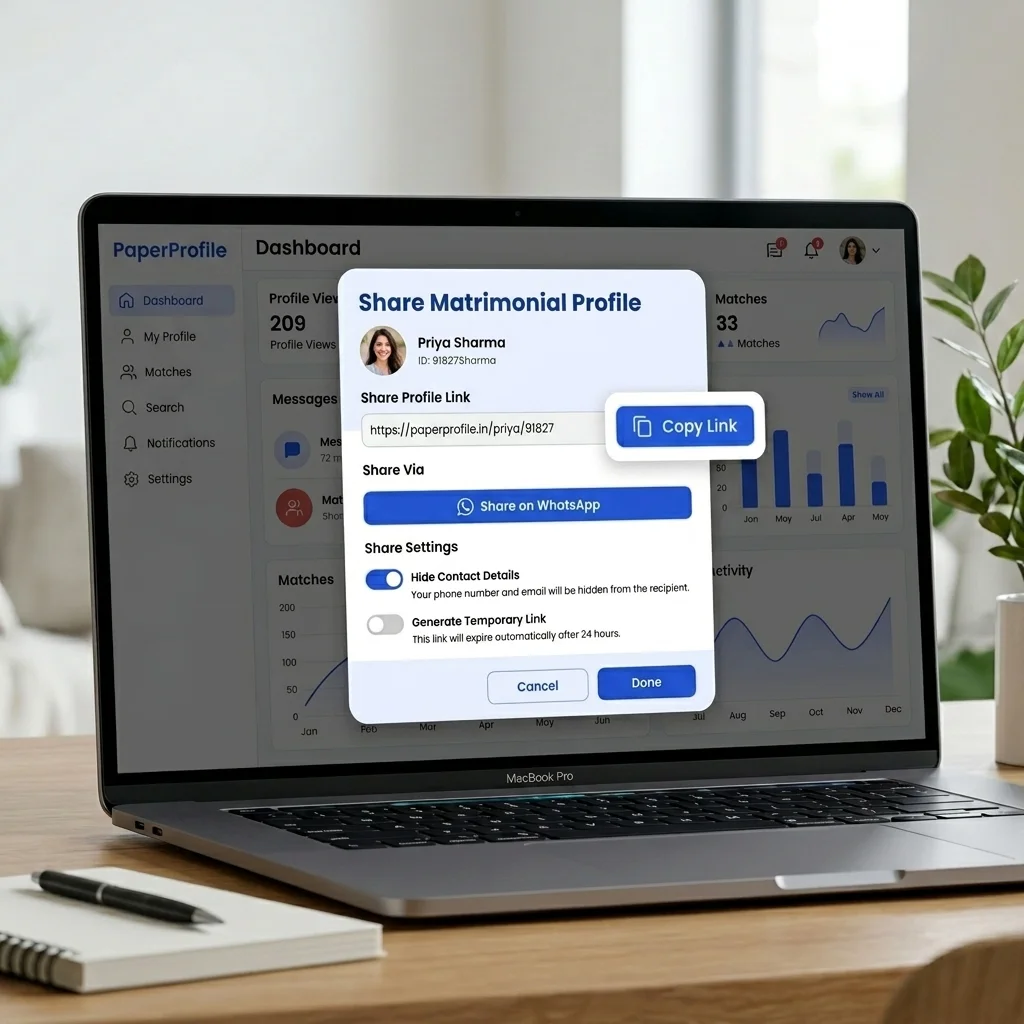
One of the biggest hidden problems with PDF biodata: you lose control the moment it is sent. A PDF forwarded to a consultant gets forwarded to their network, which forwards it further. After a few hops, you have no idea who has your photo and personal details. With a digital profile, you can delete your profile. Anyone who had the link can no longer view the profile. This is a meaningful privacy protection that PDFs simply cannot offer. For a detailed breakdown of these security issues, see Why PDFs Are Bad for Marriage Biodata.
The update problem
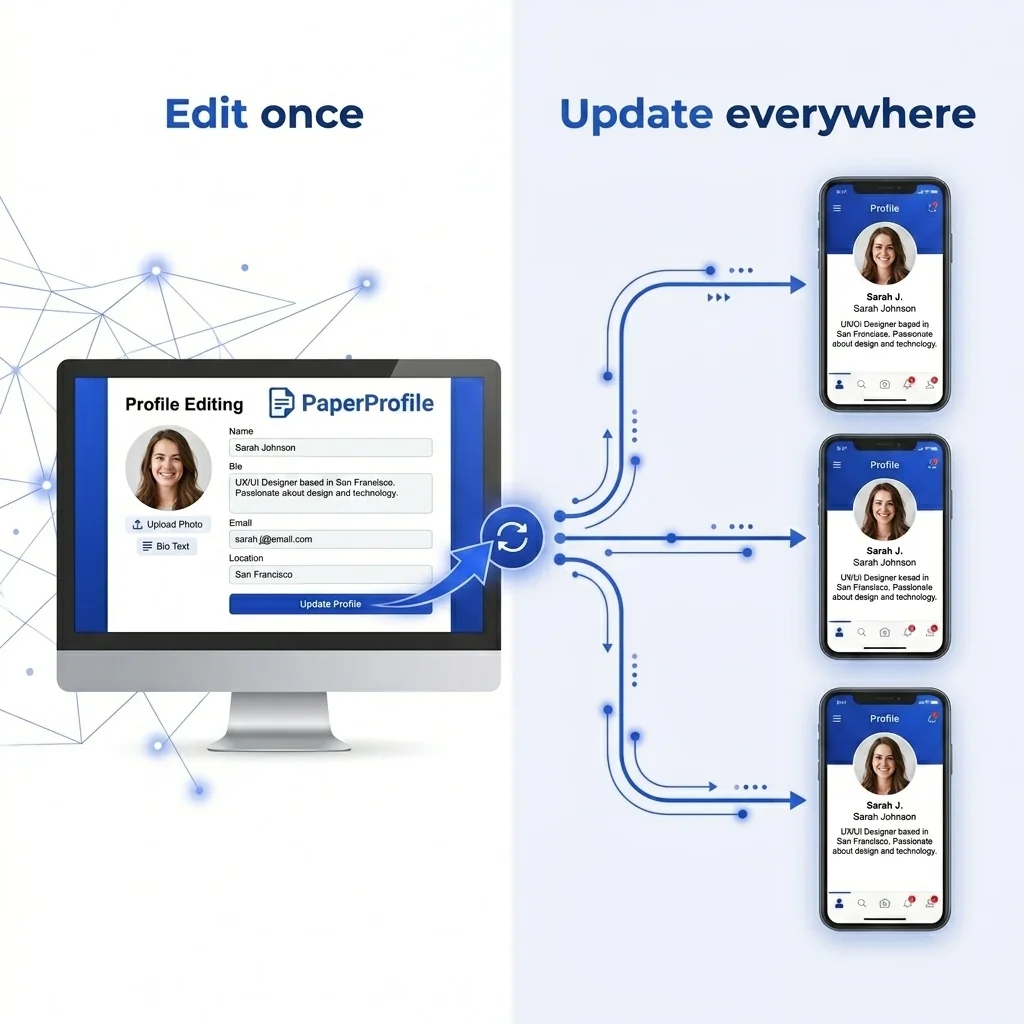
You got promoted. You moved cities. Your expectations changed. With a PDF, every change means sending an updated file to every person you've shared with — and hoping they use the new version. With a digital profile, you update once. Everyone who follows the link sees the current version automatically.
Why digital profiles are growing
The shift is largely behavioural. WhatsApp is where most matrimonial conversations happen in India today. Sending a link is natural in that context. No one thinks twice before clicking a link — but people do sometimes skip opening a PDF on their phone when they're in the middle of a conversation. For step-by-step instructions on link sharing, read How to Send Marriage Biodata on WhatsApp.
Should you give up PDF entirely?
Not necessarily. Keep a PDF version available for the contexts where it's needed (formal applications, print). But for your primary sharing method, a digital profile link will reach more families, load faster, and give you control that a file never can.
Written By
PaperProfile Team
We study how Indian families share marriage profiles, biodata, photos, and horoscope information on WhatsApp.
PaperProfile helps Indian families create secure, private marriage profiles and share them as single links on WhatsApp. We eliminate version confusion, attachments size issues, and forwarded PDF files.
Frequently Asked Questions
Do traditional families accept digital profile links?+
Yes, because it makes their job easier. They can tap the link and see all information organized beautifully on their phones without downloading files that clog their device memory.
What happens to my digital biodata if I get married?+
You can simply log into your PaperProfile dashboard and delete your profile, instantly disabling all shared links.
📖 Suggested Reading
Why PDFs Are Bad for Marriage Biodata
Sending biodata as a PDF file causes privacy leaks, outdated information, and zero control. Here's why families are switching to digital profiles.
How to Create a Marriage Profile That Actually Works
A complete guide to building a marriage profile that gets responses — what to include, what to avoid, and how to present it.
What Families Look for in a Marriage Biodata
From the family perspective — what information matters most when evaluating a matrimonial proposal, and what red flags to avoid.
Create your marriage profile in 5 minutes
Stop forwarding your biodata, photos, and horoscope separately. Share one secure link instead.
No credit card required. Free to start.