Best Biodata Format for Marriage — Section Order, Content, and What Families Actually Read
The right section order is only half the problem. Most biodata fail because the content is too generic. This guide covers exactly what to write in each section — with real examples.
The exact section order families expect:
- ✓Photo
- ✓Personal Details
- ✓Education
- ✓Family Background
- ✓Horoscope
❌ Most families still send:
✨ There is a simpler way:
Open instantly on any phone with full resolution photos, horoscope, and details in one place.
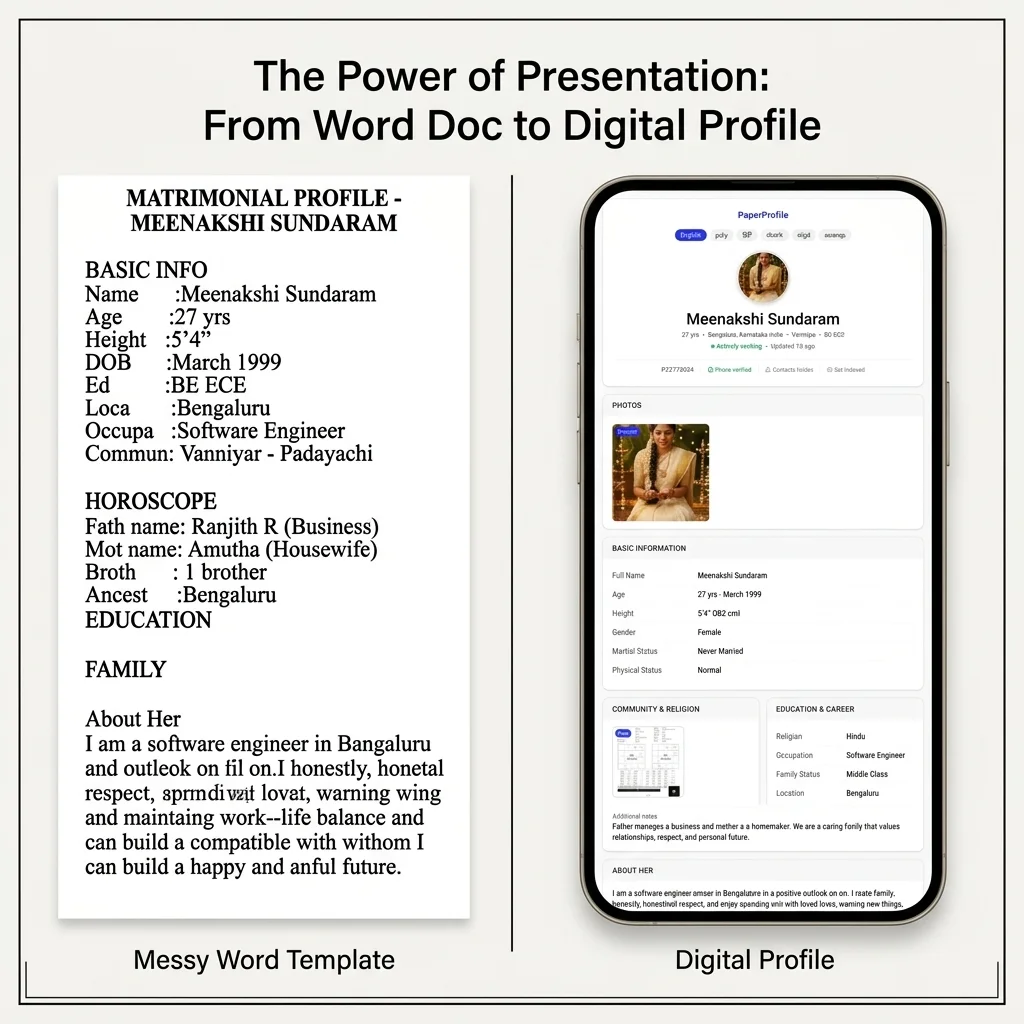
The same information, presented in the right order, gets a completely different reaction from families.
TL;DR — Key Takeaways
- ✓Families scan in this order: Photo → Age/Height → Education → Job → City → Family → Horoscope → About.
- ✓Put the fast-scan fields first. Never start with a paragraph of text.
- ✓Generic "About Me" sections are skipped. Write something specific that sounds like a real person.
- ✓Family Notes should mention your family's background — not just say "we are a caring family."
- ✓Structure details in clean sections rather than a single massive block of text.
Most marriage biodata look the same because they were all made from the same Word document template that has been forwarded for decades. That template was designed to be printed. It was never designed for how families actually evaluate proposals today.
There are two separate problems with most biodata formats. The first is section order — putting the wrong things at the top. The second, and more damaging, is content quality — filling sections with generic text that sounds like it could belong to anyone.
This guide covers both. Once you have determined the correct layout order, check out our step-by-step guide on How to Create a Marriage Profile to start building yours.
Anatomy of a Perfect Matrimonial Biodata
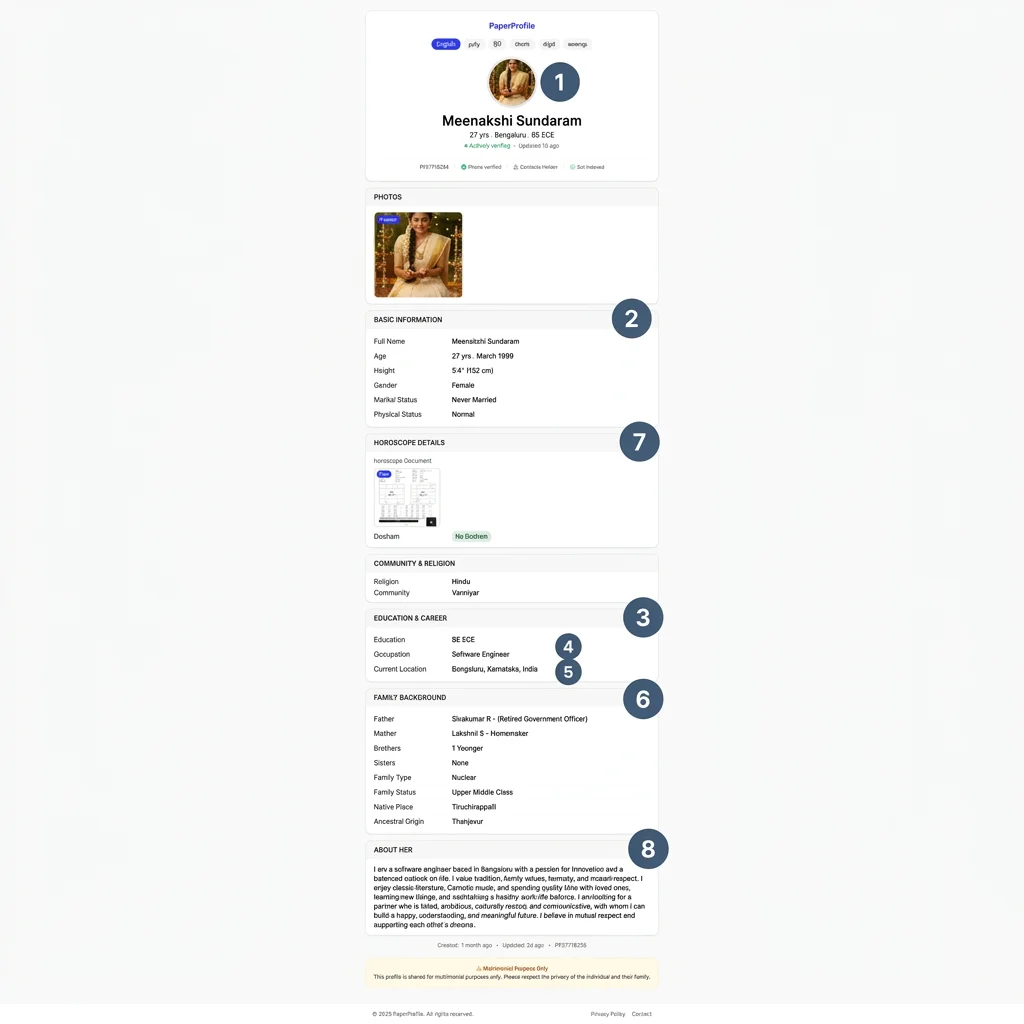
Understanding the scanning pattern is the most important thing to know before you format your biodata. Families do not read biodata sequentially. They scan. And they scan in a very specific order:
- Photo — the first thing seen, even before the name
- Age and height — checked before reading anything else
- Education — degree and institution
- Occupation and employer
- City (current location)
- Family background — parents' occupations, siblings
- Horoscope — Rasi, Nakshatra, Dosham for compatibility
- About section — only read if the above pass the initial filter
This is not a guess. This is the actual order families follow when reviewing proposals. Your biodata format must match this priority order. If the photo is missing, or the age is buried on page two, the biodata is skipped before it is actually read.
The correct section order
Photo
A clear, recent portrait photo. Well-lit, plain background. No group photos, no sunglasses. Biodata without a photo are routinely skipped.
Personal Details
Name, date of birth, age, height, complexion (optional), religion, caste, mother tongue, current city, and marital status.
Education
Highest degree, institution, year of passing. Be specific. "B.Tech in Computer Science, VIT University, 2019" — not just "B.Tech."
Career
Current employer, job role, income range (e.g. ₹12–15 LPA). Many families now treat income transparency as a positive sign.
Family Details
Father's occupation, mother's occupation, siblings with their marital status and profession. Native place. Whether family is joint or nuclear.
Horoscope
Rasi, Nakshatra, Lagnam, Dosham (Mangal Dosha / Chevvai Dosham). Required by a large portion of Indian families.
About & Interests
A short personal note about personality, interests, and lifestyle. This is where your biodata becomes memorable — or forgettable.
Contact Details
Who to contact and phone number. In a [digital biodata](/blog/what-is-digital-biodata-for-marriage), contact details are kept private by default on the public page.
Still sharing your biodata the old way?
Create a secure PaperProfile link. Keep your contact details private and update anytime.
The bigger problem: generic content
Section order matters. But the bigger problem is what goes inside each section. Most biodata contain content that sounds identical to every other biodata — because users do not know what to write, so they write the safest, most generic thing possible.
"We are a caring family that values relationships, respect, and personal growth. My father manages a business and my mother is a homemaker."”
Key Insight
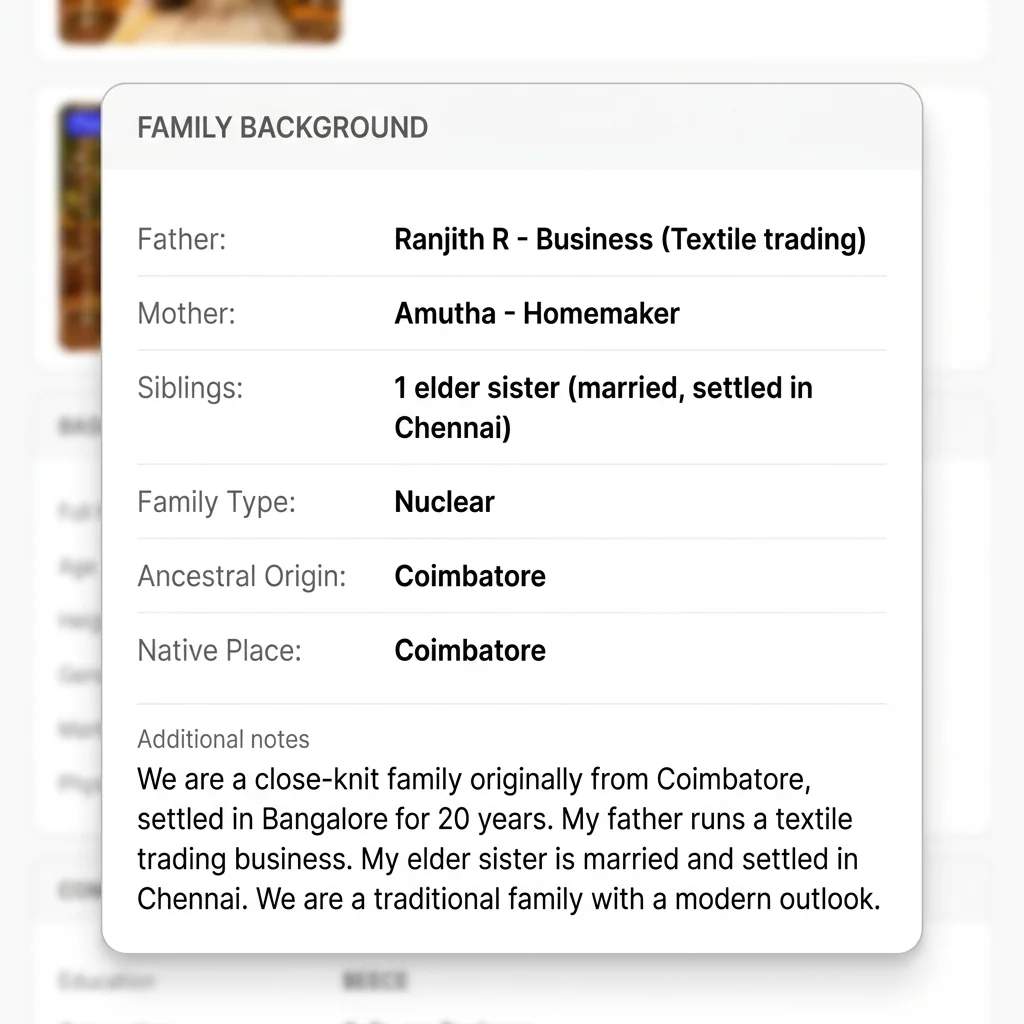
✅ Specific: "We are a close-knit family originally from Coimbatore, settled in Bangalore for 20 years. My father runs a textile trading business. My elder sister is married and settled in Chennai. We are a traditional family with a modern outlook."
The specific version tells a story. It mentions the native place, how long the family has been in the city, the business type, and the sister's situation. This is what families actually want to know — not that you "value relationships."
How to write the About section
The About section is where most biodata become generic. The problem is that people write what they think they should say, not what actually describes them.
"I am a software engineer based in Bangalore. I enjoy reading and travelling. I am looking for a caring, understanding life partner."”
Key Insight
✅ Specific: "I am a senior software engineer at a product startup in Bangalore. Outside work I read mostly non-fiction, follow cricket closely, and cook on weekends. I am looking for someone who is ambitious but also values family time."
Notice what the specific version includes that the generic one does not: the seniority level, the company type (product startup, not just IT), specific hobbies (non-fiction, cricket, cooking), and a clear sense of values. This is not about writing more — it is about writing something real.
Key Insight
A good test: could this About Me section belong to someone else in your field and city? If yes, it needs to be more specific. Replace general statements with specific details.
Writing the Family Notes section
Family Notes is the section most people write last and think about least. This is a mistake. Families pay close attention to family background — it tells them about upbringing, values, and what kind of household the candidate comes from. You can also view a complete marriage biodata example to see how this fits together in a real profile.
What good Family Notes include:
- Native place (where the family originally comes from)
- How long the family has lived in the current city
- Father's specific occupation (not just "businessman" — what kind of business?)
- Whether the family is joint or nuclear
- Siblings and their status (married/unmarried, occupation)
- A short note on family values or lifestyle (brief, not generic)
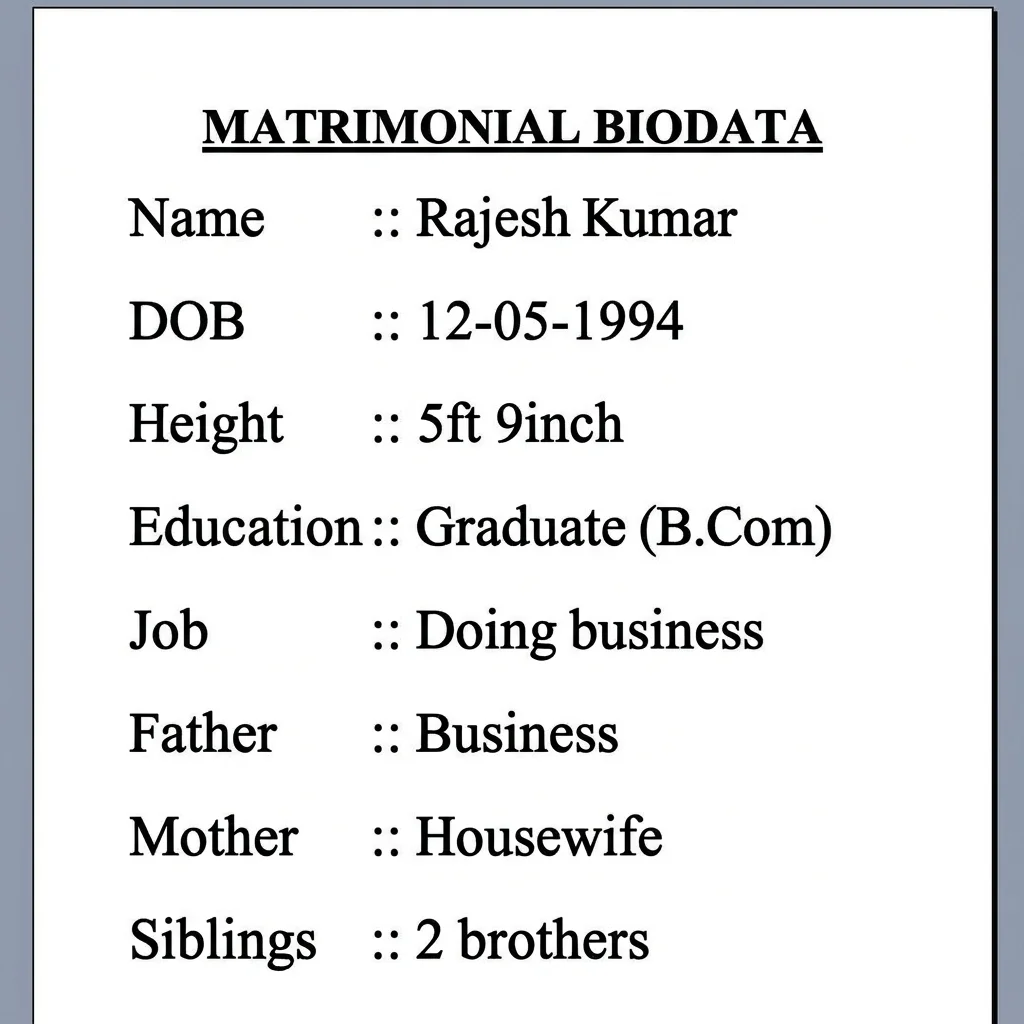
Marriage Biodata Example: Before & After
To see how layout and styling affect how your details are received, look at these two representations of the exact same candidate profile.
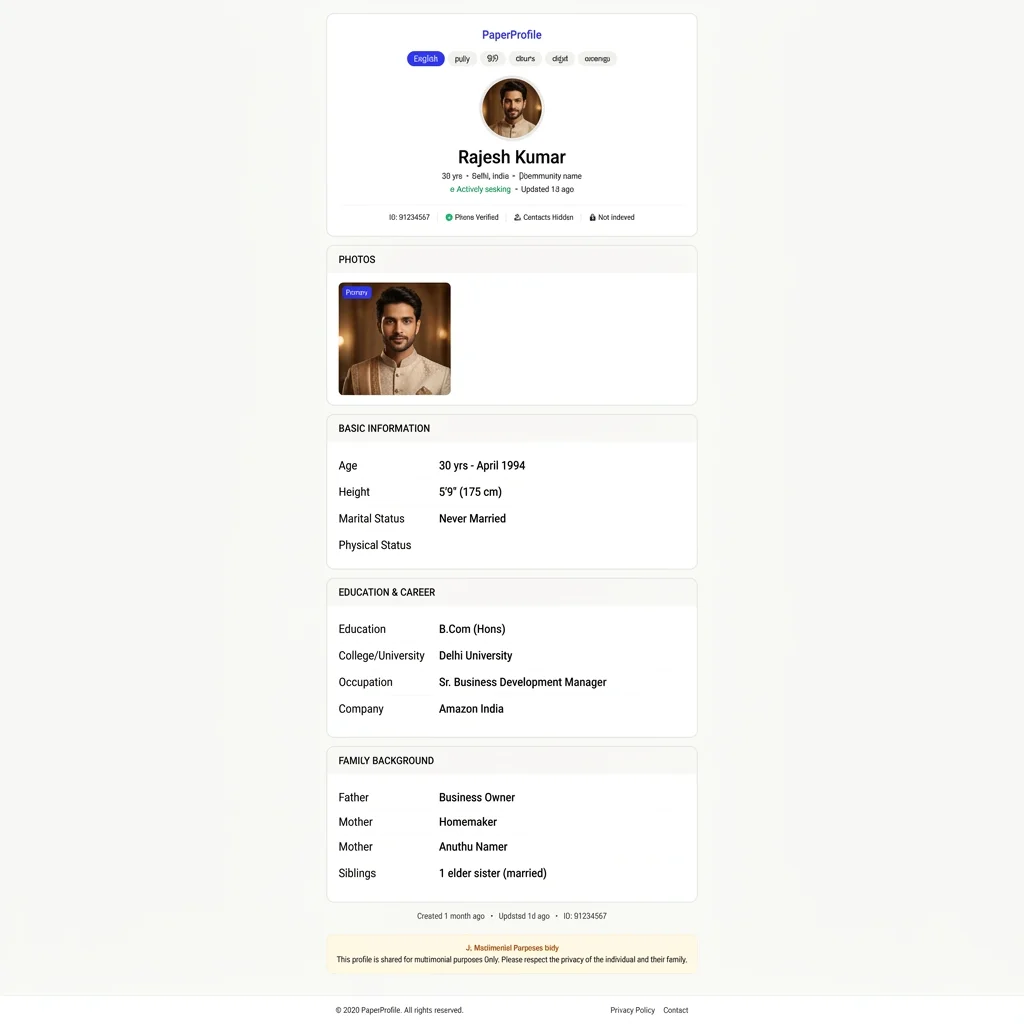
Common Marriage Biodata Mistakes (Why They Hurt Your Response Rate)
We study how Indian families evaluate marriage proposals. The table below outlines the most common mistakes candidates make and why they cost you responses.
| Mistake | Why it hurts |
|---|---|
| ❌ No Photo Attached | Matrimonial profiles without a clear photo are skipped instantly by up to 80% of families. |
| ❌ Using Old/Filtered Photo | Creates immediate distrust and disappointment when families eventually meet in person. |
| ❌ Missing Family Details | Forces families to repeatedly ask for basic details, delaying responses and creating friction. |
| ❌ Vague Education/Job Info | Writing 'Graduate' or 'Private Job' looks incomplete, making it seem like you are hiding something. |
| ❌ Long Paragraph Formats | People scan instead of reading. Wall-of-text paragraphs are tiring and lead to skipped details. |
Complete Marriage Biodata Format Checklist
Before you share your marriage profile, make sure you have prepared the following elements for a highly professional and effective format:
- ✅ Clear portrait photo: Well-lit, plain background, friendly look, recent.
- ✅ Personal details: Full name, age, height, marital status, religion, caste, mother tongue, current city.
- ✅ Specific education: Highest degree, subject/specialization, institution, passing year.
- ✅ Specific career: Current employer/industry, job role, years of experience, income range.
- ✅ Detailed family background: Father's specific business/job, mother's role, sibling status, native place, ancestral origin.
- ✅ Horoscope details: Rasi, Nakshatra, Lagnam, Dosham (explicitly state "none" if not applicable).
- ✅ Private contact method: Mobile number, preferably hidden from the public profile page by default.
Best Biodata Format for Bride
A bride's matrimonial profile should highlight academic qualifications, current professional projects, hobbies, and personal values. Modern families highly appreciate transparency around career intentions after marriage. For a complete guide, read our dedicated article on the biodata format for bride.
- Photo: Recent professional portrait showing a friendly, confident expression.
- Education: Complete details of degree, university name, and graduation year.
- Family details: Clear mention of parent background and sibling placement.
- Horoscope details: Compatibility details (Rasi, Nakshatra, Dosham) as required.
Best Biodata Format for Groom
For grooms, families look closely at career details, income ranges, employment history, and financial stability. Grooms should list their company name, role type (product vs IT), and future plans. Linking to our comprehensive groom biodata format guide covers these specifics.
- Photo: High-resolution professional portrait showing a friendly look.
- Education: Degree details and institution reputation details.
- Career: Job title, current employer type (product vs service), and experience years.
- Salary: An income bracket (e.g. ₹12–15 LPA) for transparent alignment.
- Family details: Background notes, parental occupation, and native place details.
What Families Look For in a Biodata
Trust and transparency are the most important parameters. Families want to verify the background, native roots, and horoscope compatibility before calling. Making details clear saves time and avoids mismatched expectations. For a deep-dive, see our guide on what families look for in a marriage biodata.
What to fix in education and career sections
- "Graduate" is not enough — write the degree, subject, institution, and year
- "Working in IT" is not enough — write the company name (or company type), role, and years of experience
- Include income range — ₹10–14 LPA is better than leaving it blank
- If self-employed, mention the business type and scale (turnover range)
- If studying further (MBA, MS), mention the institution and expected completion year
Traditional Biodata vs Digital Biodata
A traditional biodata file is static. Once sent, you cannot update it, cannot control who forwards it, and cannot track who has viewed it. Photos compress when forwarded over WhatsApp, sometimes becoming unrecognisable. For a full comparison, see our guide on digital biodata vs traditional biodata or learn Why PDFs Are Bad for Marriage Biodata.
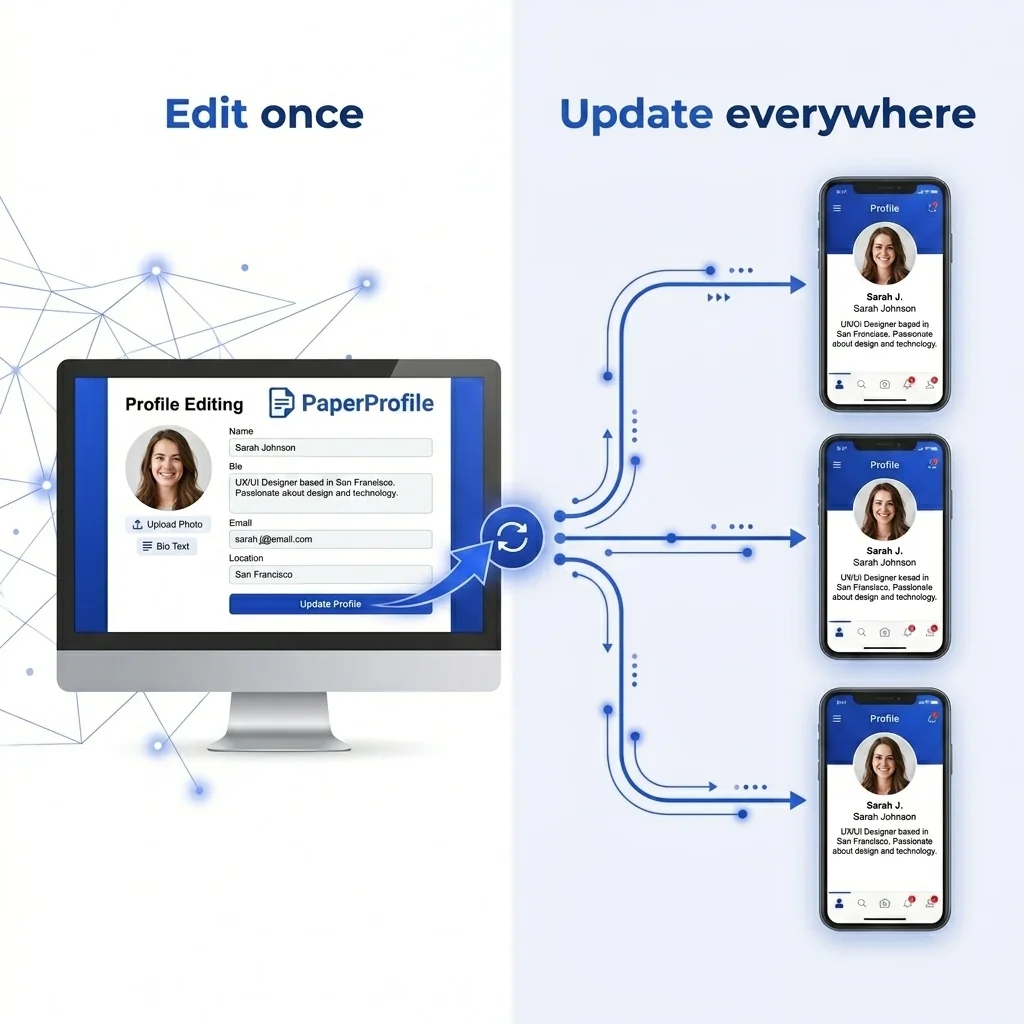
A digital marriage biodata — shared as a private link — solves all of these. You update any section and everyone with the link sees the latest version immediately. Photos load in full resolution. Contact details stay private by default. You can delete your profile at any time to instantly stop all access.
Length and readability
Keep the biodata to one screen on mobile (or one printed page). Families are reviewing many profiles in parallel. Long biodata are not read — they are skipped. The goal is to give enough to earn a phone call, not to share your entire life history.
- Personal details: 8–10 fields
- Education: 2–3 lines
- Career: 3–4 lines
- Family: 4–6 lines
- About: 3–5 sentences
- Horoscope: Rasi, Nakshatra, Lagnam, Dosham
Summary: what the best format looks like
The best marriage biodata format for 2026 leads with a clear photo, puts scannable personal details at the top, uses specific content (not generic phrases), and is shareable as a private link — not just a static file.
Most families see dozens of biodata. A profile that covers the right sections in the right order, with real specific content, stands out immediately — not because of the design, but because of the effort behind the details.
Written By
PaperProfile Team
We study how Indian families share marriage profiles, biodata, photos, and horoscope information on WhatsApp.
PaperProfile helps Indian families create secure, private marriage profiles and share them as single links on WhatsApp. We eliminate version confusion, attachments size issues, and forwarded PDF files.
Frequently Asked Questions
What sections should a marriage biodata have?+
A complete marriage biodata should include: photo, personal details (name, age, height, city, religion, caste), education, career, family details (parents and siblings), horoscope, about the candidate, and contact details. This order matches how families actually read and evaluate proposals.
How long should my marriage biodata be?+
Keep it to a single page in print, or one screen on mobile. Families are reviewing many profiles and long biodata are often skipped. Be specific, not long.
What should I write in the About Me section of my biodata?+
Write something specific to you — your job role and company type, your actual hobbies (not just "reading and travelling"), and your values. Avoid generic phrases like "I am a simple person who loves family." Every biodata says that.
Should I include salary in my marriage biodata?+
Yes, if you are comfortable. Include a range (e.g. ₹10–15 LPA) rather than an exact figure. Salary transparency is increasingly seen as a positive signal — it saves everyone time and avoids mismatches early.
What should Family Notes include?+
Family Notes should mention your native place, how long the family has been in the current city, your father's specific occupation (type of business, not just "businessman"), whether the family is joint or nuclear, and sibling details with their marital status.
Is a digital biodata better than a PDF for marriage?+
For sharing on WhatsApp, yes. A PDF compresses photos and cannot be updated. A digital biodata (shared as a private link) loads photos in full quality, lets you update any field instantly, and keeps your contact details private by default.
📖 Suggested Reading
Groom Biodata Format — What to Include
A complete guide to the groom biodata format for marriage. Every section explained — what families look for, what to write, and how to present it with confidence.
Bride Biodata Format — What to Include
A complete guide to the bride biodata format for marriage. Every section explained — what families look for, what to write, and how to present it with confidence.
Marriage Biodata Example for Indian Families
A real marriage biodata example with all sections filled in — for both groom and bride. Use it as a reference when creating your own.
What Families Look for in a Marriage Biodata
From the family perspective — what information matters most when evaluating a matrimonial proposal, and what red flags to avoid.
Create your marriage profile in 5 minutes
Stop forwarding your biodata, photos, and horoscope separately. Share one secure link instead.
No credit card required. Free to start.