What Is Digital Biodata for Marriage? (And How It Differs from a PDF)
A digital biodata is an online profile you share as a private link — not a PDF, not a Word file. It stays updated, loads photos clearly, and lets you control who sees your details.
What Is Digital Biodata?
- ✓High-resolution photos
- ✓Detailed family background
- ✓Education & career details
- ✓Integrated horoscope document
❌ Most families still send:
✨ There is a simpler way:
Open instantly on any phone with full resolution photos, horoscope, and details in one place.
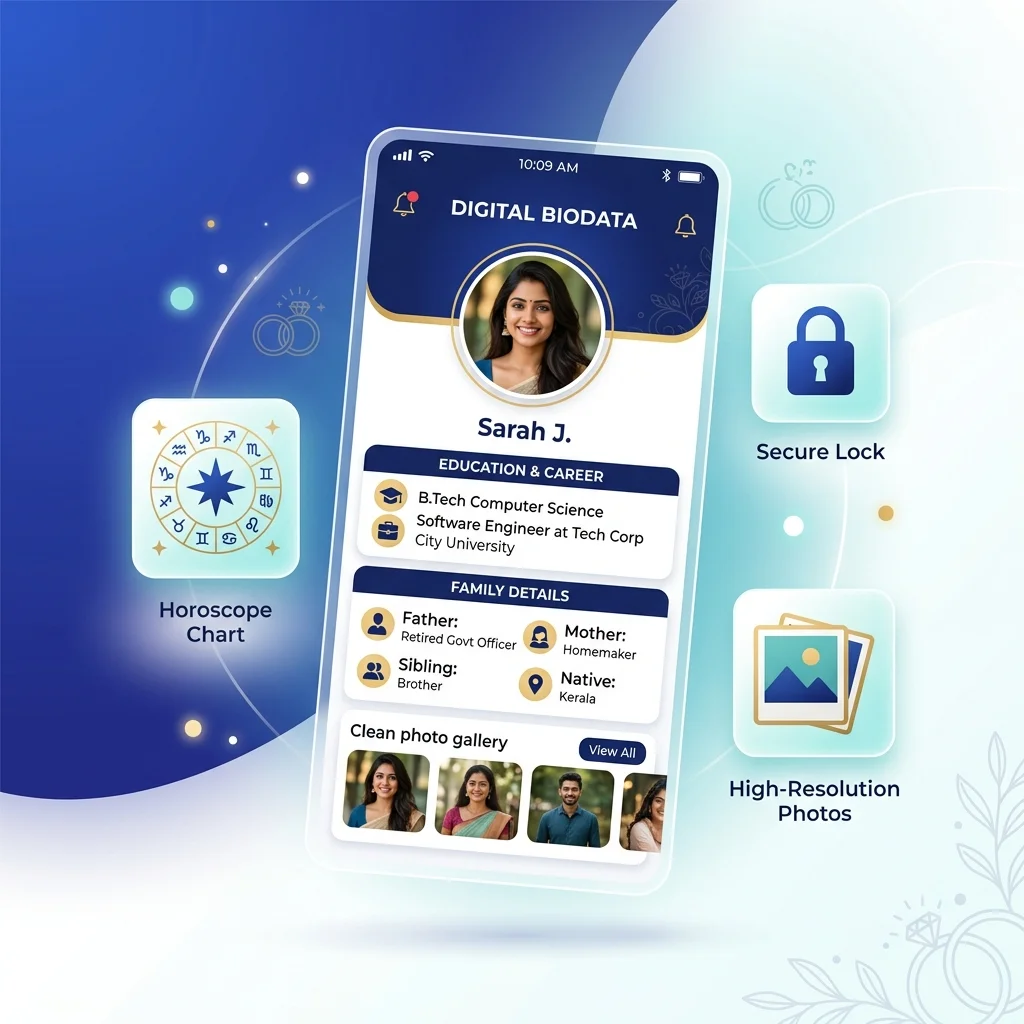
A digital biodata combines your photos, details, and horoscope into a secure, private link.
TL;DR — Key Takeaways
- ✓A digital biodata is a live profile at a private URL, not just a PDF uploaded online.
- ✓It allows real-time updates so that any correction reflects instantly to everyone.
- ✓Integrated photo galleries load in full high resolution, bypassing WhatsApp media limits.
- ✓Contact details and sensitive fields can be hidden by default to protect your privacy.
A digital biodata is not a PDF stored online. It is a live profile — hosted at a private link, updated in real time, and shared without any file attachment. In arranged marriage introductions, matrimonial consultants and families are transitioning from static documents to these responsive profile links. If you're unsure what details to include, see our Bride Biodata Format and Groom Biodata Format guides.
Key Takeaway
A digital biodata combines your photos, family details, education, career, and horoscope into a single, private web profile link that you can update in real-time and delete whenever you want.
Traditional vs. Digital Workflow Comparison
To understand why families are transitioning, look at the difference in the day-to-day sharing workflow. The traditional method requires handling multiple files, resulting in download clutter and outdated versions. The digital workflow consolidates everything into a single, clean link. This file-heavy process is why matrimonial consultants recommend switching. Read more on How to Send Marriage Biodata on WhatsApp to understand the link sharing flow.
The Traditional Matrimonial File-Sharing Workflow
- File Prep: You prepare a PDF biodata, save two JPEGs of photos, and take a photo of your printed paper horoscope (jadhagam/patrika) from the local horoscope shop.
- WhatsApp Attachment: You select and send these files in a chat window.
- Chat Clutter: The files clutter the recipient’s chat history and download folders.
- Loss of Control: The recipient forwards the files to other relatives or mediators. If your job changes, you cannot update the files they already have.
- Outdated Copies: Old versions of your biodata continue to circulate across multiple chats.
The Digital Marriage Profile Link Workflow
- Create Profile: You fill in your details once on PaperProfile.
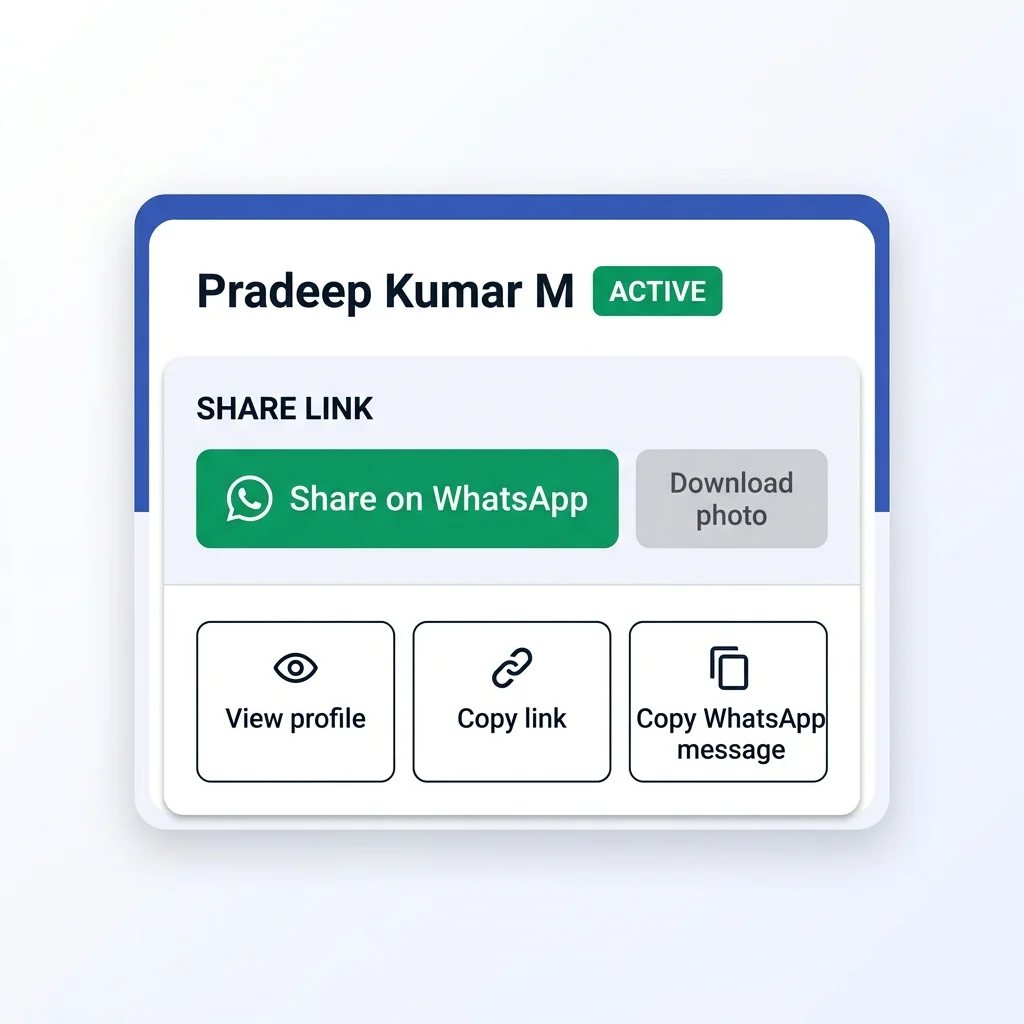
- Copy Private Link: Copy your auto-generated private, secure URL link.
- Send Message: Share the pre-formatted text containing your details and profile link on WhatsApp.
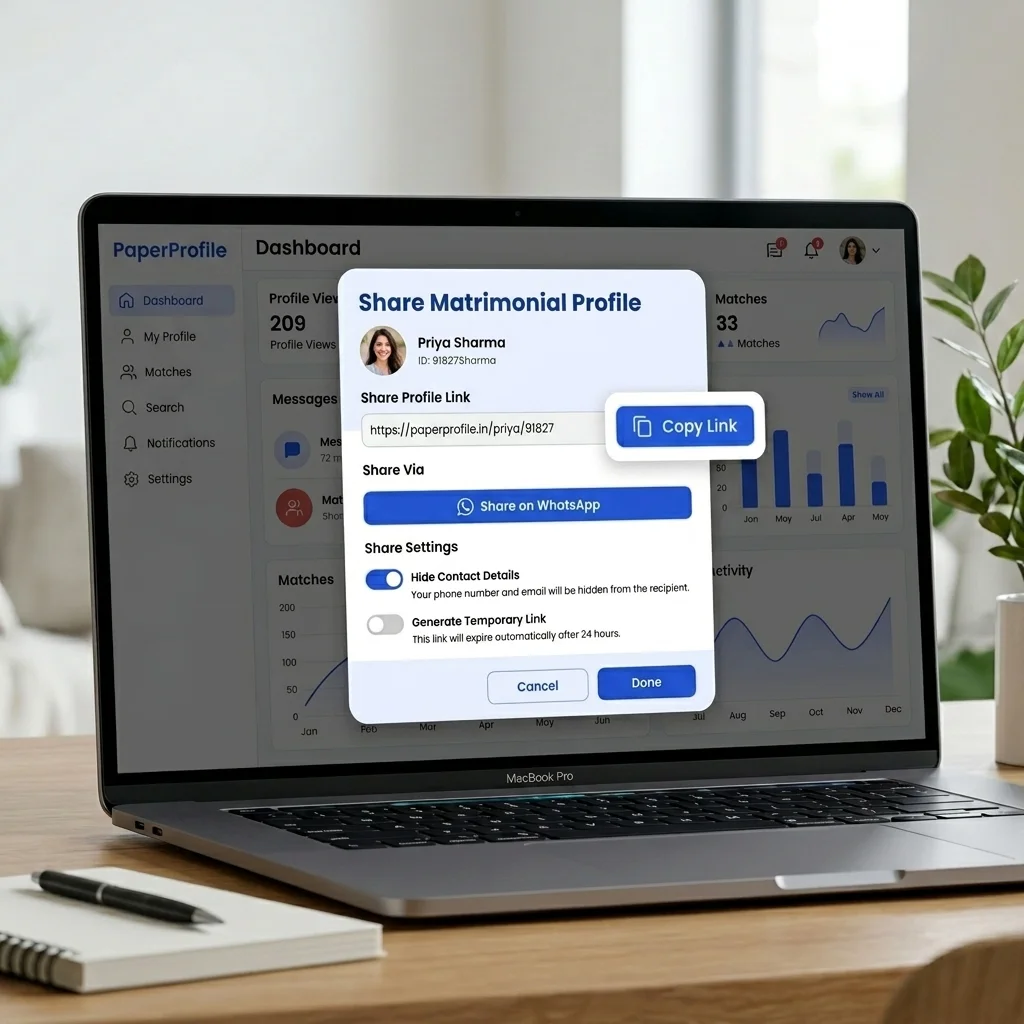
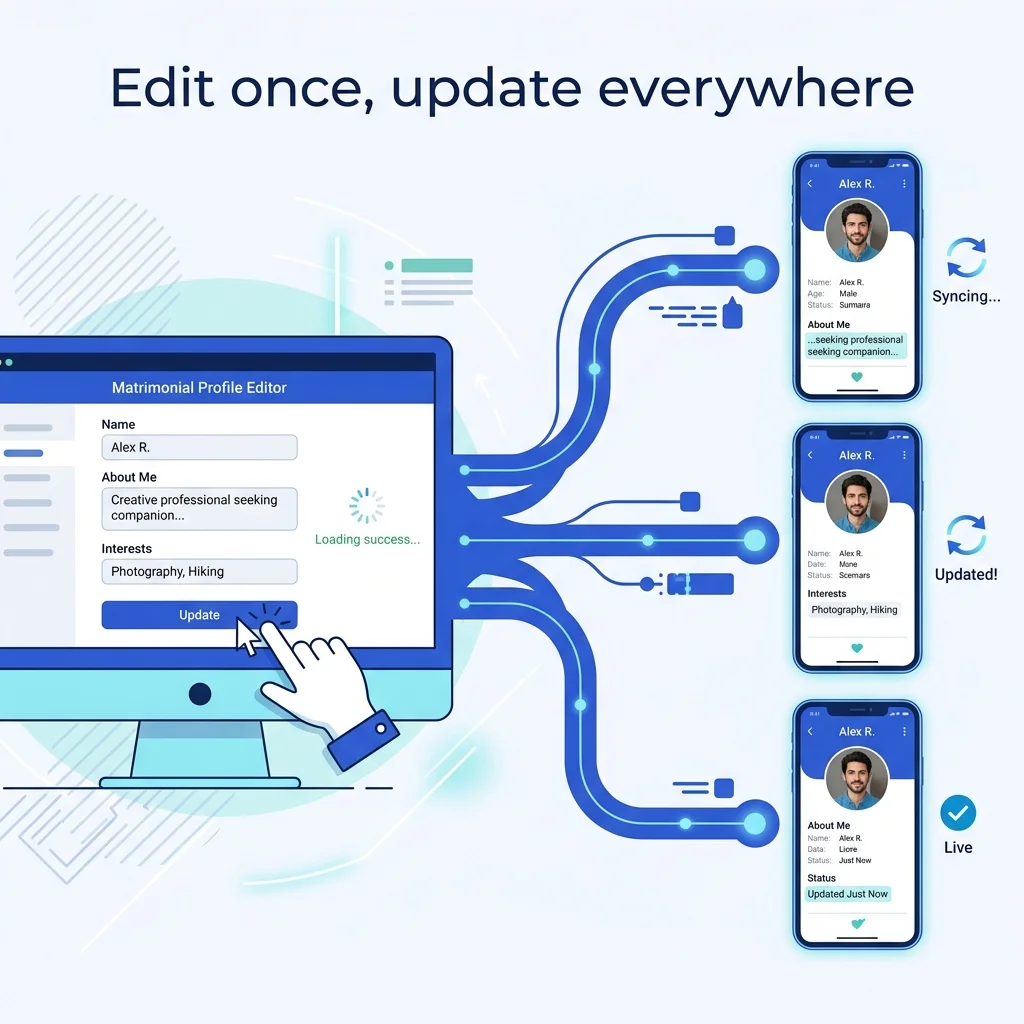
- Instant Updates: If you change your job title or swap a photo, you update it once in your dashboard. Anyone opening the link immediately sees the latest details.
- Delete Profile: When you find a match, you delete your profile, making the link inaccessible to everyone.
Real WhatsApp Example: File Clutter vs. One Link
When you share your details on WhatsApp, the format you choose determines the first impression you make. Here is what traditional file-sharing looks like compared to a modern digital profile link and structured message:
❌ Traditional Sharing (5 Attachments)
- 📄 Marriage Biodata (1.4 MB)
- 📸 Jadhagam (2.4 MB)
- 🖼️ Profile Photo (2.1 MB)
- 🖼️ Family Photo (1.8 MB)
- 🖼️ Full-length Photo (2.5 MB)
Result: 10.2 MB of downloads required, cluttered chat history, and blurry compressed images.
✅ Digital Sharing (1 Link)
- 🔗 paperprofile.in/p/arun-k
Result: 0 MB download required, loads instantly, and opens a beautiful interactive profile with full-resolution photos and horoscope integrated.
Anatomy of a Modern Digital Biodata
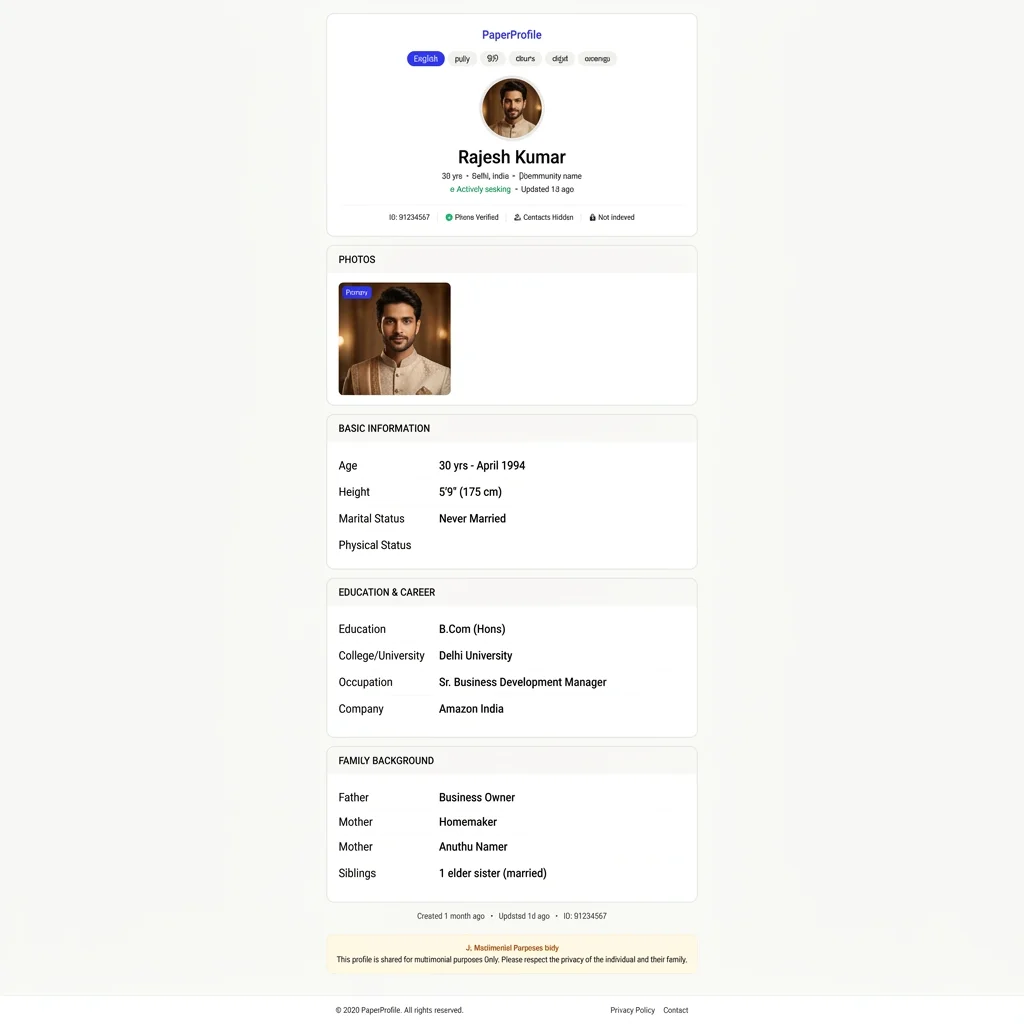
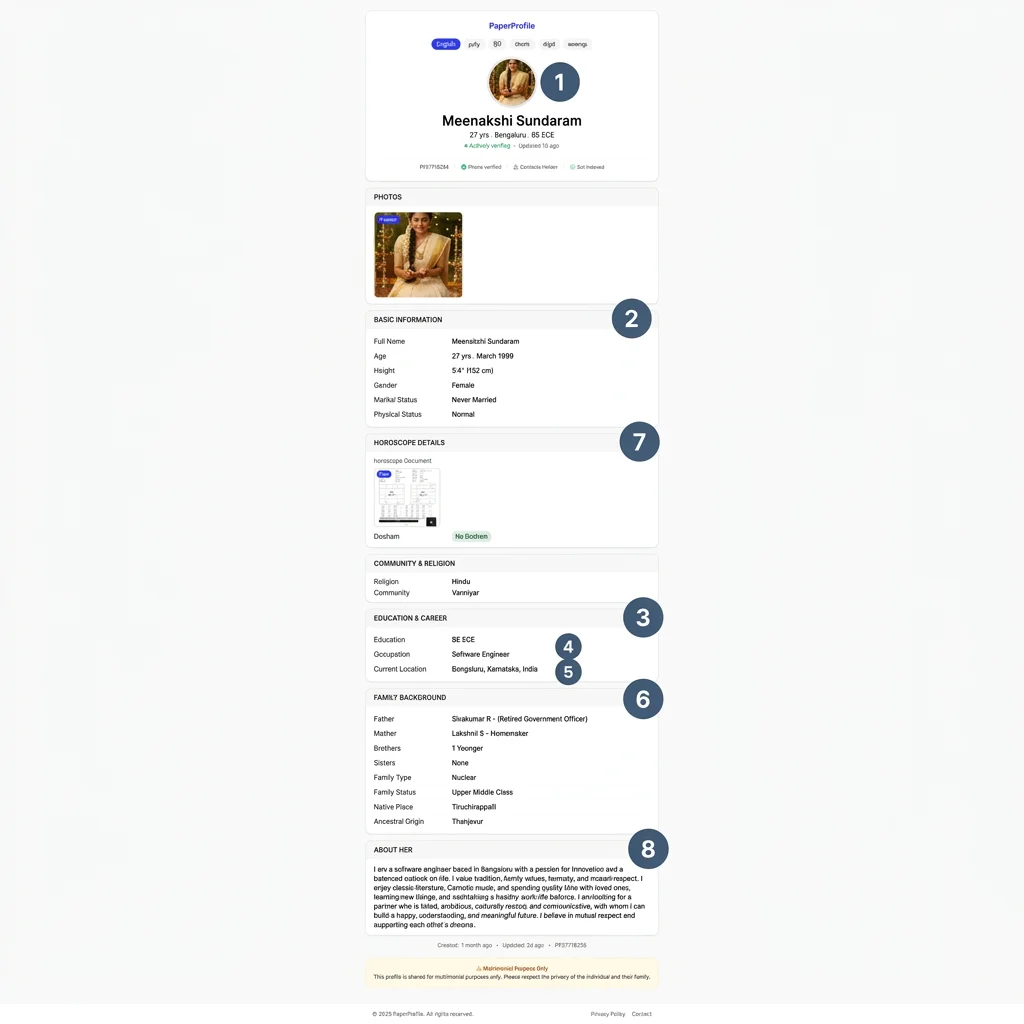
When a family opens a digital biodata link — like one created on PaperProfile — they see a structured, interactive web page designed specifically for mobile screens instead of a static document designed for printing. A complete digital profile consists of several critical components:
- High-Resolution Photo Gallery: Instead of single compressed image files, digital profiles fetch photos directly from hosting servers, showing candidate photos in full portrait quality.
- Structured Personal Details: Key attributes like Age, Height, Religion, Mother Tongue, and Caste are aligned in a scannable grid.
- Verified Education & Career: Designated fields for degrees, colleges, job titles, and employers build instant credibility.
- Ancestral & Family Notes: Background descriptions, parent professions, and sibling status are organized logically.
- Integrated Horoscope: Instead of sending separate files, Rasi, Nakshatra, Gothra, and Dosham details are embedded directly, with options to attach the full chart viewable inline.
Example Digital Biodata: What Families See
To see what a real digital biodata looks like on a mobile phone, here are screenshots showing key sections from completed PaperProfile profiles. This is exactly how families, matchmakers, and community leaders view your details when they click your link:
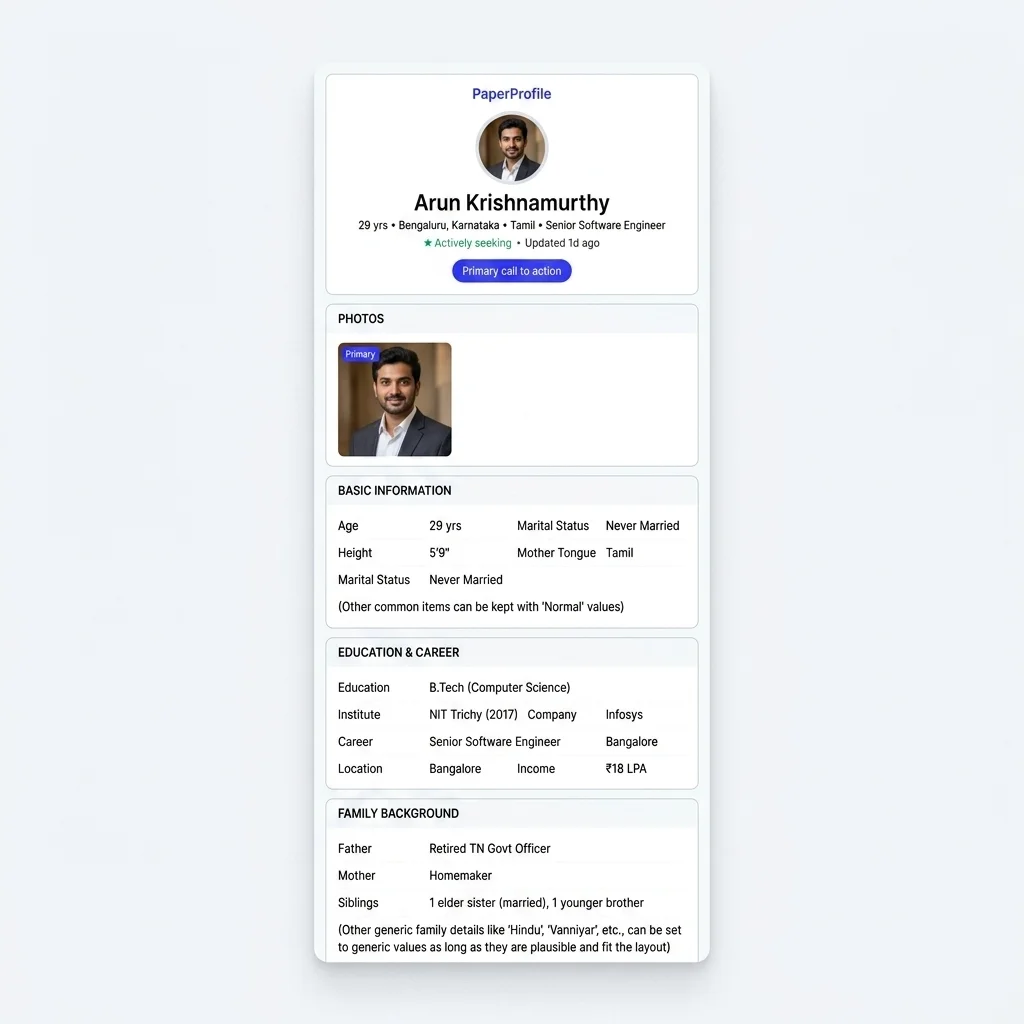
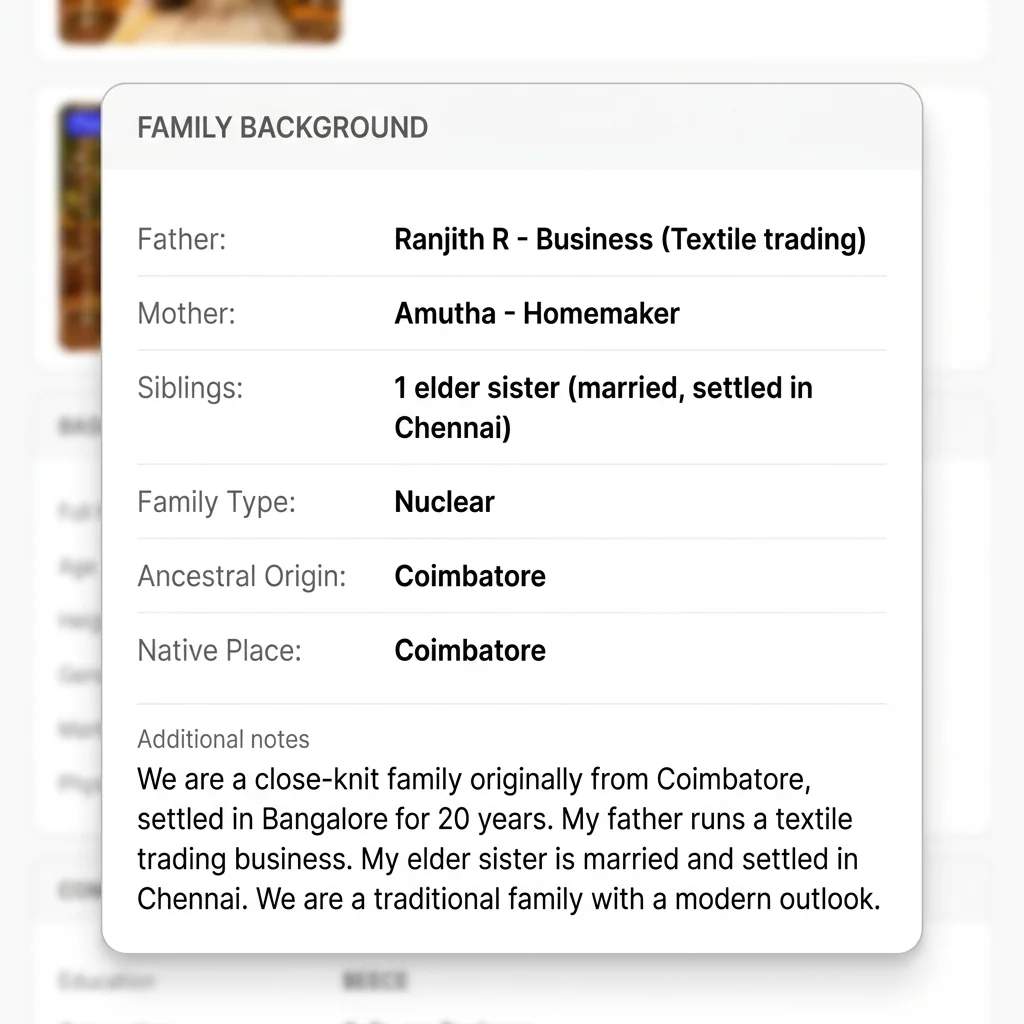
Real Family Scenario: The Bengaluru Software Engineer
"An engineer based in Bengaluru changed her job and moved back to her hometown. Instead of tracking down dozens of brokers and relatives to resend her updated biodata, she updated her details once in her profile dashboard. Instantly, anyone opening her existing shared link saw her updated occupation and location, ensuring no outdated profile was circulating."
Matrimonial Expert Observation
Most families review a marriage biodata in under 60 seconds. Matrimonial consultants recommend placing the photo, age, education, and location at the absolute top of the page, long before long descriptive paragraphs. If these parameters aren't scannable on a mobile screen, the proposal is often passed over.
Is it just a PDF uploaded to Google Drive?
No — and this is the most common misconception. Many families create a biodata in Word or other formatting software, export it as a PDF, then upload it to Google Drive and share the Drive link. That is a file hosted online. It is not a digital biodata.
A Google Drive PDF link still opens a static file. You cannot update it without replacing the file and resharing a new link. Drive links do not give you control over who has accessed your file or allow you to hide details dynamically. On mobile devices, reading a standard A4 PDF requires constant zooming and panning, creating a poor user experience. For a detailed comparison of these file limitations, read our complete analysis on Why PDFs Are Bad for Marriage Biodata.
Key Insight
💡 Key Insight: A proper digital biodata is structured database records rendered dynamically as a web page — not a static file that happens to be accessible via URL.
Why digital biodata is becoming the standard
The transition from static documents to digital profiles is driven by three main factors: data accuracy, privacy control, and presentation quality. Here is why modern families prefer this format.
1. Always up to date (Real-time synchronization)
Matrimonial searches can take several months. During this time, career details, location, or partner preferences can change. With static files, old versions circulate indefinitely. With a digital profile, any change you make syncs instantly across all shared links.
2. Built-in privacy and controlled sharing
A major issue with traditional biodata files is that your private phone number and home address are hardcoded into the file, meaning anyone can forward it. A digital biodata automatically hides your contact details by default on the public profile and lets you delete the profile at any time — keeping your personal information safe.
3. Photos display at full resolution
WhatsApp compresses attached images heavily. When you embed photos inside a PDF, they become pixelated. A digital biodata loads photos from secure cloud hosting at full resolution in any mobile browser, ensuring a strong first impression.
4. One link replaces three attachments
Instead of sending a PDF biodata, photo attachments, and a horoscope file separately, you send a single link. This keeps your chat history clean and ensures families do not lose the horoscope details.
Still sharing your biodata the old way?
Create a secure PaperProfile link. Keep your contact details private and update anytime.
Who should use digital biodata?
Perfect for: A digital biodata is built specifically to address the unique priorities of everyone involved in the matrimonial search process:
Bride Families
Protect privacy by hiding phone numbers by default and revoking link access at any time.
Groom Families
Present professional credentials, verified job details, and clear expectations cleanly.
Marriage Brokers
Keep client lists accurate with active profile links that update live as candidates status change.
Relatives Helping Search
Simplify recommendations by forwarding a single private link instead of heavy files and photos.
Parents Sharing on WhatsApp
Tapping a single web link is much easier for elders than downloading, zooming, and sorting through files in chat windows.
Matrimonial Profile Formats Comparison
Here is a detailed breakdown of how paper/PDF documents compare against platform matrimony sites and dedicated digital biodata links:
| Feature | Traditional PDF | Matrimony Site | PaperProfile Link |
|---|---|---|---|
| Access Control | None (once sent, it is public permanently) | Platform locked (requires viewer registration) | Full owner control (delete profile anytime) |
| Photo Quality | Compressed and blurry | Low resolution / watermarked | Full high-resolution gallery |
| Update Mechanism | Manual re-send new files to everyone | Platform sync (requires registration) | Instant live update from single dashboard |
| Mobile Layout | Poor (requires pinching and zooming) | Mobile-friendly (requires app install) | Fully responsive (opens directly in browser) |
| Google Privacy | Exposed if uploaded to public folders | Indexed on public search pages | Completely private (unindexed by Google) |
| Cost | Free | Expensive paid subscriptions | Free core features (share link to anyone) |
Still sending PDF files and separate photos? Move away from static documents and secure your personal details with a private web profile.
Still sharing your biodata the old way?
Create a secure PaperProfile link. Keep your contact details private and update anytime.
Common Myths & Realities
As families transition from traditional files to digital sharing, several common misconceptions arise:
- Myth: Digital biodata is public on Google.
Reality: PaperProfile links are completely private, unindexed URLs. They do not appear in Google search results and cannot be crawled by search engines. Only people who receive the exact URL from you can view it. - Myth: Only young candidates use digital biodata, not elders.
Reality: Parents love digital biodatas because they are easy to open. Tapping a link opens the profile instantly in their default mobile browser without requiring any login, registration, or app installation. - Myth: Digital biodata replaces the traditional horoscope.
Reality: It integrates the horoscope. You can input Rasi, Nakshatra, Gothra, and Dosham details directly, and attach the full chart file within the same link. - Myth: Anyone can save my photos if I share a link.
Reality: Unlike a PDF where photos are permanently stored on the recipient’s device, a digital link lets you blur photos or restrict access, allowing you to choose who can see them.
How to create a digital biodata
Sign Up
Register with your phone number for free. No credit card required.
Fill Sections
Input details across personal, family, career, education, photos, and horoscope.
Get Link
Your profile goes live immediately at a private, secure URL link.
Share Anywhere
Copy the link and paste it directly into WhatsApp, emails, or share with brokers.
To see how other candidates present their details online, read our detailed guide on Marriage Biodata Examples, or check out the Best Biodata Format for general layout advice.
For step-by-step instructions on sharing, read our guide on How to Share Biodata on WhatsApp. For a detailed look at the privacy risks of documents, check out PDF Biodata vs Online Biodata, or learn how to set up your link by following How to Create a Marriage Profile.
Still sharing your biodata the old way?
Create a secure PaperProfile link. Keep your contact details private and update anytime.
Written By
PaperProfile Team
Marriage Profile Sharing Experts
PaperProfile helps Indian families create secure, private marriage profiles and share them as single links on WhatsApp. We eliminate version confusion, attachments size issues, and forwarded PDF files.
Frequently Asked Questions
Do other families need a PaperProfile account to view my biodata link?+
No. They can view your private biodata link in any mobile or desktop web browser without having to register, log in, or install any app.
Can people search for my digital biodata on Google?+
No. All PaperProfile links are private by default and have noindexing directives. They cannot be crawled by Google or other search engines.
How can I protect my photos and contact details?+
Your contact details are hidden by default from the public profile. You can also delete your profile at any time to instantly stop access to all your photos and information.
📖 Suggested Reading
The Best Way to Send Marriage Biodata Without a PDF
Sharing a marriage biodata as a PDF is the default — but it has real problems. Here is the better approach: a private online profile that shares as a link, not a file.
How to Create a Marriage Profile That Actually Works
A complete guide to building a marriage profile that gets responses — what to include, what to avoid, and how to present it.
Digital Biodata vs Traditional Biodata — A Complete Comparison
PDF and Word biodata have dominated Indian matchmaking for decades. Digital profiles are changing that. Here's a full comparison.
Create your marriage profile in 5 minutes
Stop forwarding your biodata, photos, and horoscope separately. Share one secure link instead.
No credit card required. Free to start.