How to Share Your Shaadi.com Profile on WhatsApp with Relatives and Family
Step-by-step guide to sharing your Shaadi.com profile on WhatsApp with relatives, parents, and brokers. Compare profile links, screenshots, and PDF biodata.
TL;DR — Key Takeaways
- ✓Shaadi.com profiles can be shared via a profile link, screenshots, or PDF biodata.
- ✓Most sharing with relatives and brokers happens through WhatsApp.
- ✓The Shaadi.com profile link requires login to view fully — which can be a barrier.
- ✓A separate private profile link solves the login barrier and works for everyone.
- ✓Update your details once — relatives and brokers always see the latest version.
Shaadi.com is one of India's most popular matrimony platforms. But like other matrimony sites, the actual sharing of profiles with relatives, brokers, and family contacts mostly happens outside the platform — through WhatsApp.
How to Share Your Shaadi.com Profile on WhatsApp
Open Your Shaadi.com Profile
Log in to Shaadi.com and open the profile you want to share.
Copy the Profile Link
Use the share or copy link option available on the profile page.
Open WhatsApp
Go to the relative, parent, broker, or family group where you want to send it.
Paste the Link
Paste the Shaadi.com profile link into the message box.
Send with Context
Add a short note so relatives know whose profile it is and whether login may be needed.
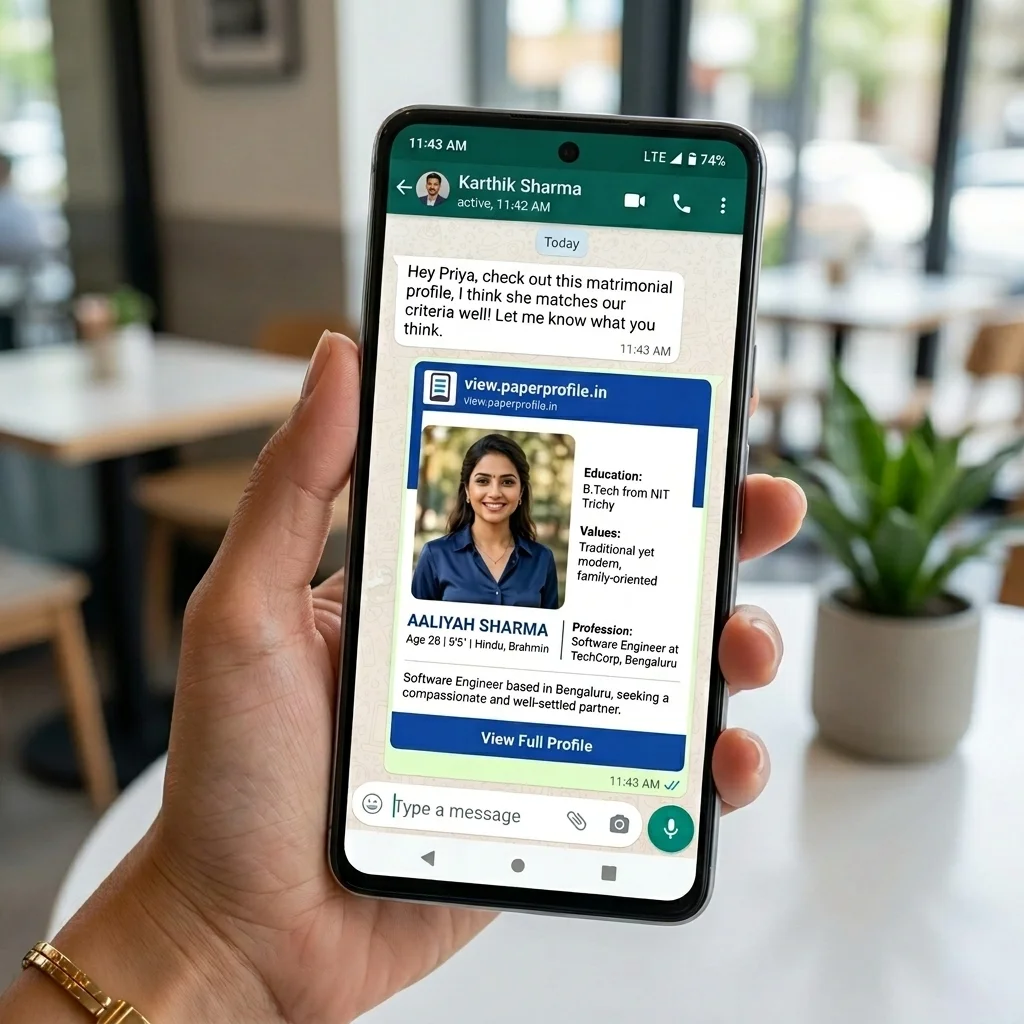
While this is the official way to share a Shaadi.com profile, many relatives may not be able to view the complete profile without logging in. This is why families often use screenshots, biodata files, or private profile links instead.
How Families Actually Share Matrimony Profiles Today
In most Indian families, the Shaadi.com profile is only the starting point. Once parents, relatives, and brokers become involved, the sharing process usually moves to WhatsApp because that is where everyday family coordination already happens.
Candidate Creates Profile
The profile is created or updated on Shaadi.com.
Parents Review Details
Parents check photos, education, job, family background, and horoscope expectations.
Screenshots Are Shared
Profile screenshots are sent to close relatives or family WhatsApp groups.
Relatives Forward It
The same details are forwarded to other families, community contacts, or brokers.
More Files Are Requested
Someone asks for biodata, horoscope, recent photos, or updated job details separately.
Everything Gets Reshared
When details change, old screenshots and PDFs continue circulating with the new version.
This repetitive process is why many families look for a simpler way to send a Shaadi profile to relatives without creating multiple versions across WhatsApp chats.
Why Families Share Matrimony Profiles on WhatsApp
WhatsApp has become the default communication platform for Indian families. Parents, relatives, and marriage brokers already use it daily, making it the easiest place to exchange marriage profiles without asking everyone to install another matrimony app.
- Easy to forward to relatives
- Parents already use WhatsApp daily
- Marriage brokers work primarily through WhatsApp
- Family groups help coordinate discussions
- No need to install another app
This is also why a profile format that works well inside WhatsApp matters. If the link opens cleanly, includes the important details, and stays updated, relatives are more likely to review and forward it without asking for extra files.
Ways to Share Your Shaadi.com Profile
There is no single sharing method that works for every family. A Shaadi.com link is convenient for people who already use the platform, screenshots are quick for one-time sharing, and biodata PDFs are still familiar to traditional families and brokers. If your family also uses another platform, compare this with how to share your Bharat Matrimony profile.
- Copy and share your Shaadi.com profile link
- Take screenshots and send them on WhatsApp
- Download profile as PDF and share it
- Create a dedicated private profile link with all details
The Problem with the Shaadi.com Profile Link
The Shaadi.com profile link typically requires the viewer to log in to see the full profile. For relatives — especially older family members — this is often a barrier. Many end up not viewing the profile at all.
Common situations where relatives struggle
- Elderly parents or relatives do not have a Shaadi.com account
- Family WhatsApp groups include many people who are not matrimony site users
- Marriage brokers cannot easily forward a login-gated profile to other families
- Relatives want to view photos, biodata, and horoscope details immediately
- Login screens create drop-off before the profile is even reviewed
This does not mean the Shaadi profile link is useless. It is still helpful when the receiver already uses Shaadi.com. The problem starts when the profile needs to travel through parents, relatives, brokers, and family networks who may not all be active on the platform.
Common Issues When Sharing a Shaadi.com Profile
Most sharing problems appear only after the link has already been forwarded. A relative opens the message, cannot see the full profile, and then asks the family to resend the same information in another format. This is also why many families eventually move from static files to a digital biodata for marriage.
- Relative cannot open the profile without signing in
- Login is required before complete details are visible
- Profile appears incomplete to someone outside Shaadi.com
- Photos are missing or not easy to save from the shared link
- Broker requests a biodata file instead of a platform link
- Family asks for horoscope separately after seeing the profile
If this happens often, the issue is not the relative. It usually means the sharing format is too dependent on the matrimony platform. For family circulation, the best format is one that opens quickly, explains the profile clearly, and includes all supporting details in one place.
Shaadi Profile Link vs Screenshots vs Biodata PDF
| Method | Easy for Relatives | Requires Login | Always Updated |
|---|---|---|---|
| Shaadi Profile Link | No | Yes | Yes |
| Screenshots | Yes | No | No |
| Biodata PDF | Yes | No | No |
| PaperProfile Marriage Profile | Yes | No | Yes |
When Should You Use Screenshots?
Screenshots are useful when you need to send something quickly to one person. They are familiar, easy to forward, and every relative understands how to open an image on WhatsApp.
The downside is that screenshots are frozen copies. If you update your job title, add a new photo, change location, or correct a family detail, every old screenshot remains in circulation unless you personally resend the latest version.
- Good for quick sharing with one close family member
- Easy to view without any app login
- Works even when the receiver is not comfortable with links
- Becomes low quality when forwarded repeatedly
- Gets outdated as soon as photos, job, location, or family details change
Use screenshots only for short-term sharing. If multiple relatives are forwarding the same profile, screenshots quickly become hard to control. For a deeper look at what relatives expect before forwarding a profile, read what families look for in a marriage biodata.
When Should You Use a Biodata PDF?
A marriage biodata PDF is still common because many families and brokers are used to it. It works well when someone specifically asks for a traditional biodata format or wants a printable file.
PDFs are better than scattered screenshots when the profile needs a formal structure. But they still behave like files: once forwarded, they cannot update themselves. That becomes a problem when multiple relatives forward different versions.
- Good for traditional family review
- Useful when brokers ask for a biodata file
- Can include education, job, family background, and contact details
- Often needs separate photos and horoscope attachments
- Hard to update once forwarded across multiple WhatsApp chats
If you still depend on PDFs, read why PDFs are bad for marriage biodata and the best way to send marriage biodata without PDF.
When Should You Use a Profile Link?
A profile link is best when you want one source of truth. Instead of sending a new PDF every time something changes, you update the profile once and keep sharing the same link.
The key question is whether the receiver can actually open the link. A platform profile link works inside that platform, while a private marriage profile link works better for relatives, family groups, and brokers who may not have a Shaadi.com login. If you are starting from scratch, see how to create a marriage profile.
- Use a Shaadi.com profile link when the receiver already has access to Shaadi.com
- Use a private profile link when relatives should be able to open it without login
- Use a link when parents or brokers need to forward the same profile repeatedly
- Use a link when photos, job details, location, or horoscope information may change later
What Most Families End Up Sending
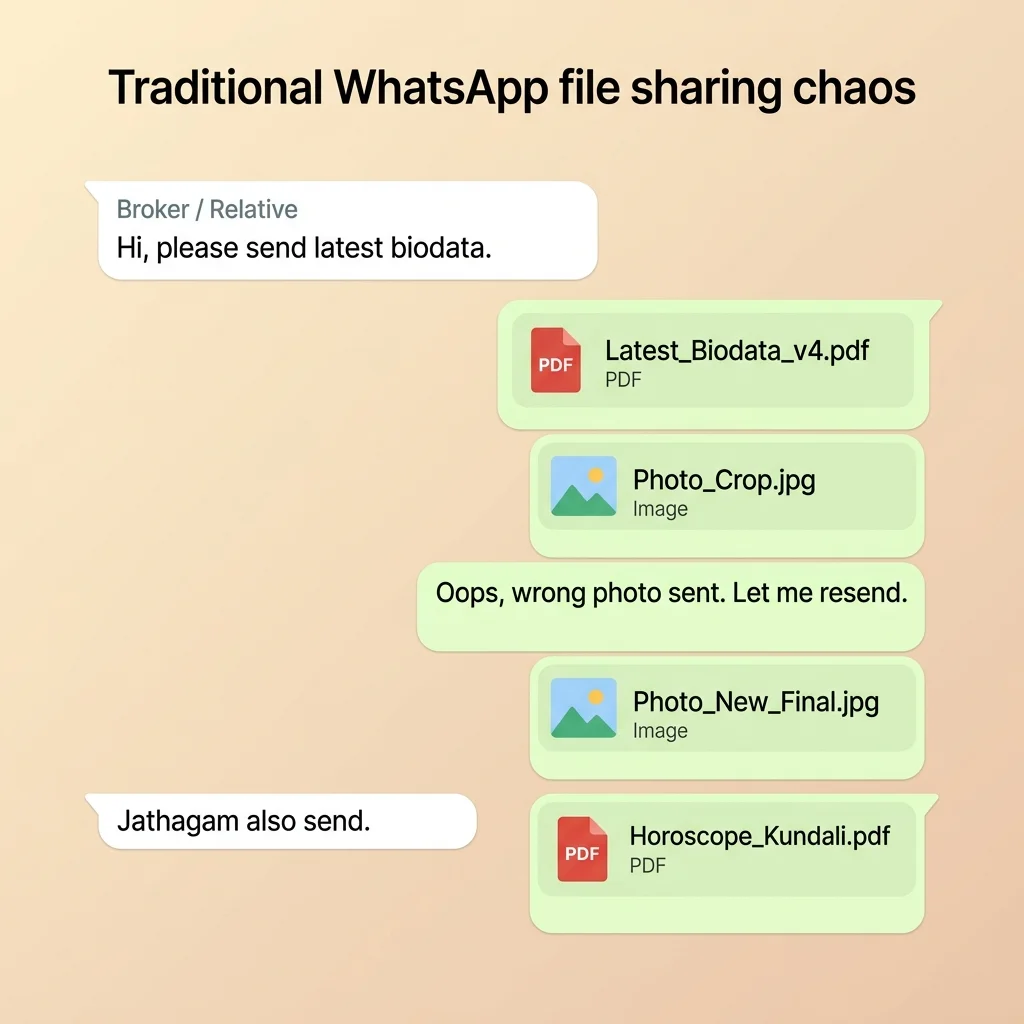
Managing these files becomes complicated. When photos change or job details are updated, the same files need to be redesigned and reshared across all contacts.
Real WhatsApp Messages Families Send
The confusion usually appears in small follow-up messages. Families often exchange the same questions again and again after a profile is forwarded.
- "Please send latest biodata"
- "Do you have horoscope?"
- "Can you share recent photos?"
- "Job location changed?"
- "Is this the latest version?"
- "Can I forward this to the broker?"
These messages are a sign that the profile is split across too many files. A single shareable profile reduces these follow-ups because relatives can open one link and see the latest details in one place.
How to Share Shaadi Profile with Parents
When sharing with parents, keep the message simple. Send the Shaadi.com link first, then add a short note explaining what is included and whether they need to log in. If your parents are not active on Shaadi.com, also send a private profile link or biodata summary they can open directly.
- Send the profile link in a direct WhatsApp chat
- Mention if login is required to view complete details
- Add recent photos in the same message if needed
- Include horoscope or jadhagam details if your family checks matching early
- Use one updated link so parents do not forward old information
How to Share Shaadi Profile with Relatives
Relatives usually want to review the profile quickly and forward it to someone else if it looks suitable. This is why the easiest format is one that opens immediately on WhatsApp, does not require app installation, and includes enough details for a first review.
- Send a short introduction before the link
- Use a link that works on any phone browser
- Avoid sending too many separate files in one message
- Mention whether horoscope, photos, and family background are included
- Ask relatives to forward only the latest link
For a broader guide, see how to send a matrimony profile to relatives and how Indian parents share marriage profiles today.
How to Share Shaadi Profile with Marriage Brokers
Marriage brokers usually prefer something they can forward quickly. A Shaadi.com link may work if the broker uses the platform, but many brokers still ask for a biodata PDF, photos, and horoscope separately because they forward profiles across their own WhatsApp network.
- Send one link that includes biodata, photos, and family details
- Avoid making the broker download multiple files
- Use a format that can be forwarded without requiring login
- Keep contact preferences clear
- Update the same profile link when details change
If brokers are part of your search, read how to share a marriage profile with brokers.
What We See Across Marriage Profile Sharing
After observing how thousands of marriage profiles are shared, one pattern is clear: most families start with screenshots or biodata files because they feel familiar, but they eventually struggle with version management as details change over time.
Photos get updated, job locations change, horoscope files are requested later, and relatives keep forwarding whichever version they received first. The best sharing format is the one that stays current even after it has been forwarded.
How to Share a Marriage Profile That Anyone Can Open
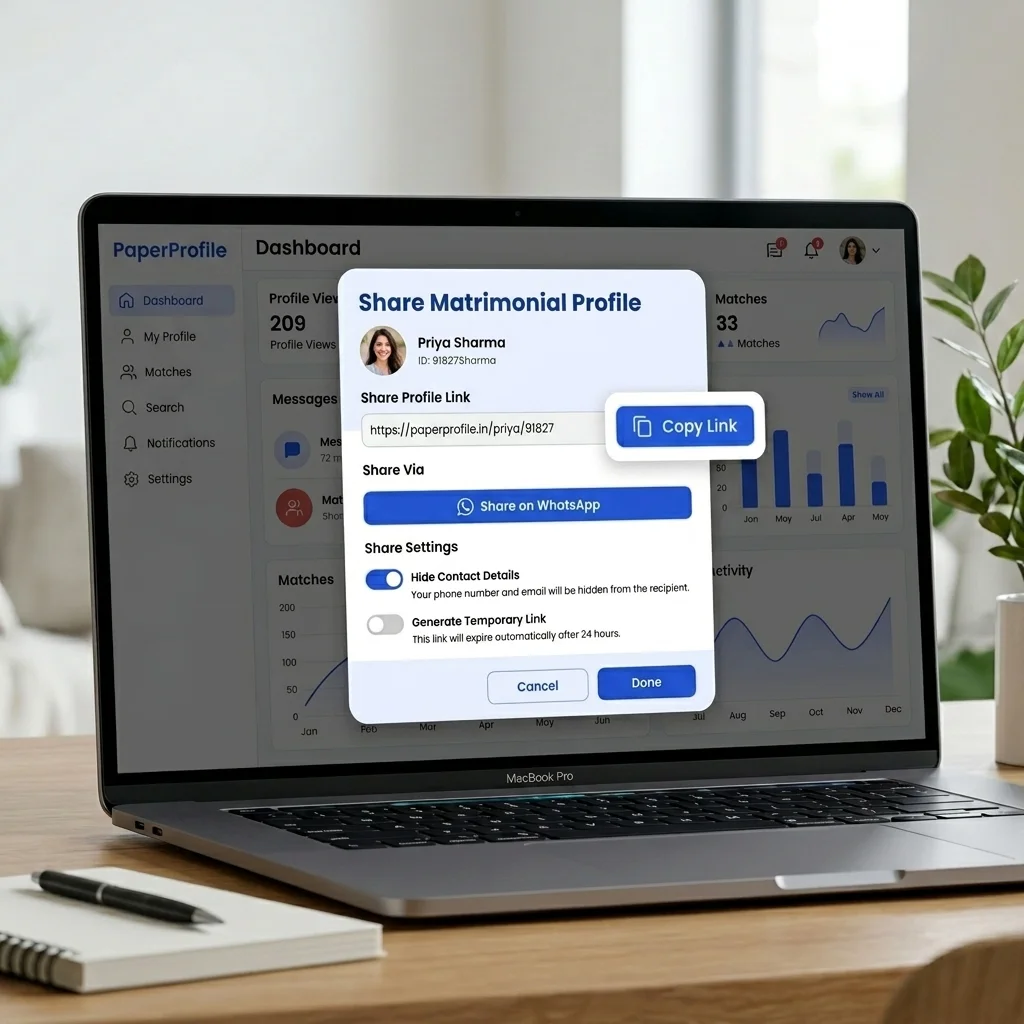
Instead of managing multiple files across different WhatsApp contacts, create a single private profile link that contains your photo, biodata, horoscope, and family details in one place. Anyone with the link can view it — no login required.
- No login required to view
- Includes photos, biodata, and horoscope in one link
- Update anytime — all contacts see the latest version
- Private — share only with people you choose
- Works perfectly in WhatsApp on all phones
Related Guides for Sharing Marriage Profiles
If you are also using Bharat Matrimony, read how to share your Bharat Matrimony profile. Tamil families can also see how to share a Tamil Matrimony profile. If you work with brokers, see how to share a marriage profile with brokers. If you still send biodata files, read why PDFs are bad for marriage biodata.
Still sharing your biodata the old way?
Create a secure PaperProfile link. Keep your contact details private and update anytime.
Written By
PaperProfile Team
We help Indian families share marriage profiles clearly and privately.
PaperProfile helps Indian families create secure, private marriage profiles and share them as single links on WhatsApp. We eliminate version confusion, attachments size issues, and forwarded PDF files.
Frequently Asked Questions
Can I share my Shaadi.com profile without relatives needing to log in?+
The Shaadi.com link requires login to view the full profile. To share without requiring login, use a separate private profile link that opens directly in the browser.
What is the best way to share a Shaadi.com profile on WhatsApp?+
A dedicated private profile link is the most practical — it opens without login, includes all details, and can be updated anytime.
Should I share screenshots or a profile link on WhatsApp?+
A profile link is better because it always shows the latest version. Screenshots become outdated and lose quality when forwarded repeatedly.
How do I share my Shaadi profile with a marriage broker?+
Send the broker a private profile link. They can forward it to prospective families directly on WhatsApp without downloading any files.
Why can't some relatives view my Shaadi.com profile?+
Many matrimony platforms require users to sign in before viewing complete profile details. Relatives who do not have an account may not be able to access all information.
Can I share my matrimony profile with someone who does not use Shaadi.com?+
Yes. You can either send screenshots, a marriage biodata file, or a separate profile link that opens without requiring a Shaadi.com account.
How do parents usually share marriage profiles with relatives?+
Most families use WhatsApp groups, direct WhatsApp messages, marriage brokers, and family networks to circulate profiles.
Is it okay to send Shaadi.com screenshots on WhatsApp?+
Yes, screenshots are fine for quick sharing, but they become outdated easily and can lose quality when forwarded repeatedly.
Should I send Shaadi profile link or biodata PDF to relatives?+
Use the Shaadi profile link when relatives can log in and view it. Use a biodata PDF or private profile link when relatives need to open the details without a Shaadi.com account.
How do I share updated photos after sending my Shaadi profile?+
If you send screenshots or PDFs, you need to resend the updated files. With a private profile link, you can update the photos once and everyone with the link sees the latest version.
Can marriage brokers forward my Shaadi profile on WhatsApp?+
They can forward the link, but recipients may still need login access. Brokers usually prefer a link or biodata format that opens directly and includes all key details.
📖 Suggested Reading
How to Share Your Bharat Matrimony Profile with Family and Relatives
Learn how to share your Bharat Matrimony profile on WhatsApp, with relatives, parents, brokers, and family groups. Compare profile links, screenshots, and PDFs — and why a single marriage profile link works better.
How to Send Your Matrimony Profile to Relatives on WhatsApp
A practical guide for sending your marriage profile to relatives, parents, aunts, uncles, and family friends through WhatsApp without the confusion of multiple files.
Why PDFs Are Bad for Marriage Biodata
Sending biodata as a PDF file causes privacy leaks, outdated information, and zero control. Here's why families are switching to digital profiles.
How to Share Your Marriage Profile with Brokers and Agents
Learn how to share your marriage profile with marriage brokers, agents, and matchmakers in a way that is easy to forward and always up to date.
Create your marriage profile in 5 minutes
Stop forwarding your biodata, photos, and horoscope separately. Share one secure link instead.
No credit card required. Free to start.